

Create Guest
To create a new guest:
- Go to Marketing → Guests
- Click Create
- Enter the guest details
- Click Create
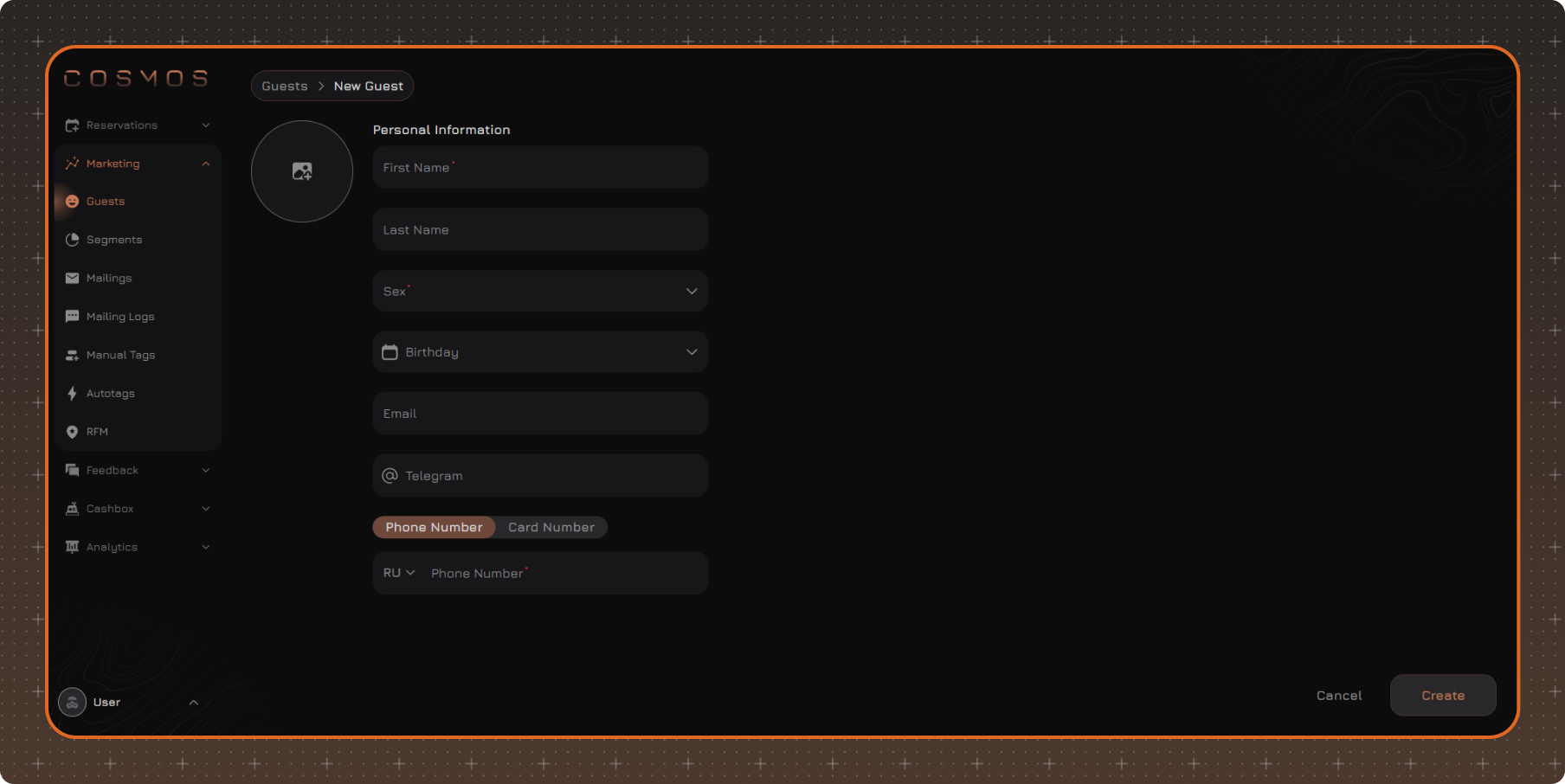
1. First Name
2. Last Name
3. Sex
4. Birthday
5. Email
6. Telegram
7. Phone Number/Card Number
By default, a guest is identified by their phone number. To use a card number for identification, click Card Number, then enter the card number.
If a card number is entered, a phone number cannot be added.
Edit Guest
To edit a guest, use one of the following methods:
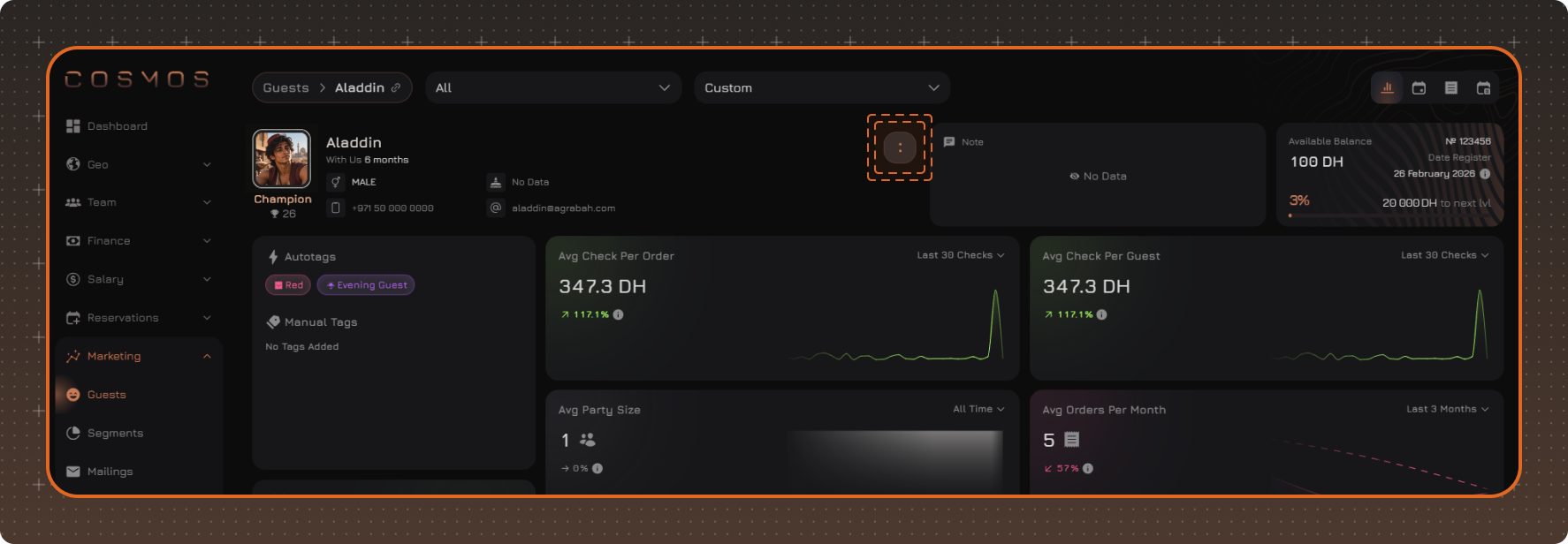
- Open the guest profile, click the button with the colon icon, and select Edit
- In the guest table, right-click the required guest and select Edit from the context menu
Make the required changes and click Save.
Phone Numbers
A guest profile can contain multiple phone numbers. Phone numbers can be edited, and one of them can be set as the primary number for communication with the guest.
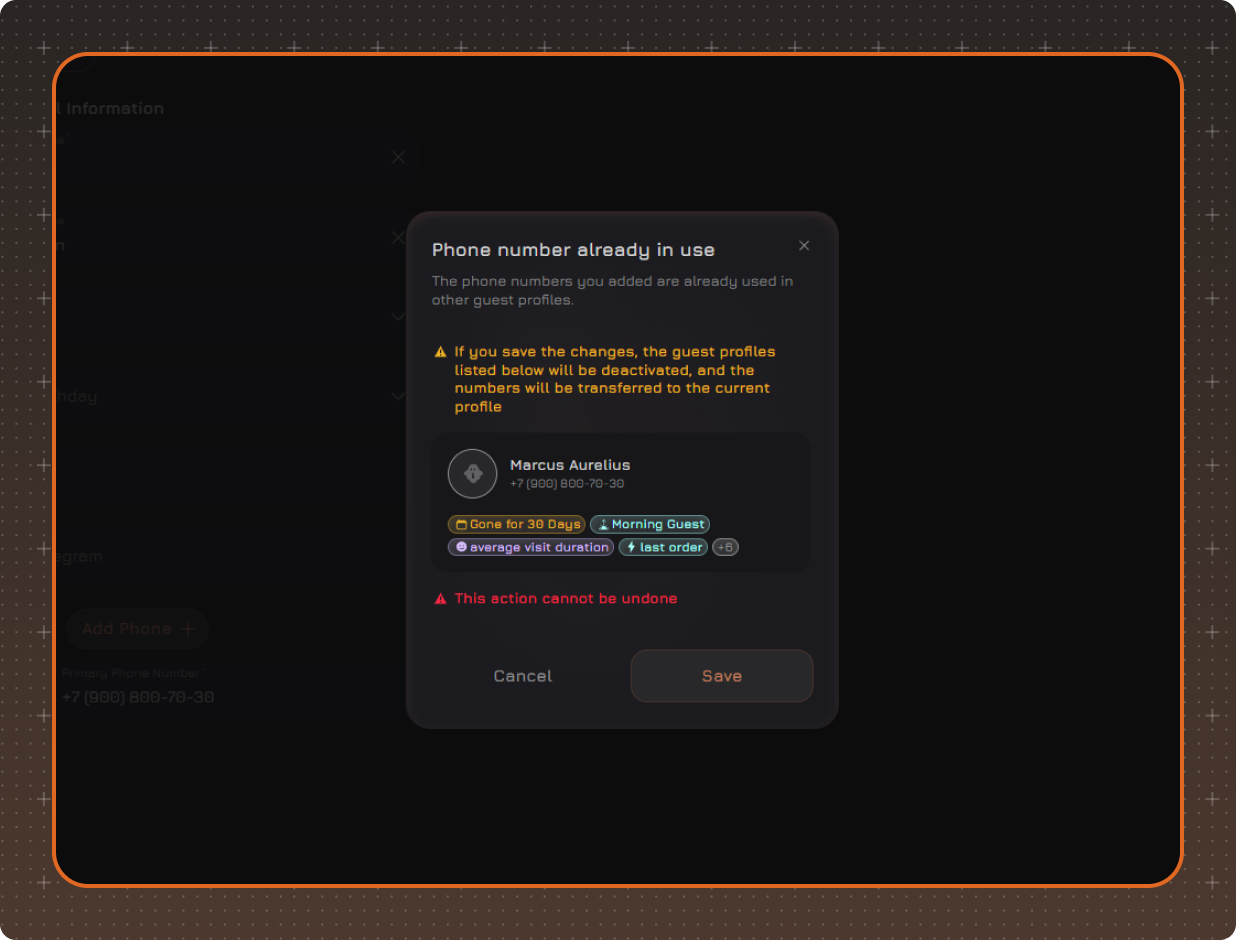
When a new phone number is added, the system checks whether it is already used in another guest profile. If the number is already in use, a warning will appear. If confirmed, the guest profile that previously used this number will be deactivated.
If a guest changes their phone number and wants to keep their bonus points and loyalty level:
- Add the new phone number to the guest profile as an additional number
- Ask the guest to register in the loyalty system using the new number
- After registration, set the new number as the primary number
Bonus points and loyalty level will be automatically synchronized with the new card.
If the guest has already registered in the loyalty system using the new number:
In this case, a second guest profile may appear in the system.
To combine the data into one profile:
- Open the guest profile with the old phone number
- Add the new number as an additional number
- Confirm the deactivation of the second profile in the warning that appears
- Set the new number as the primary number
As a result, only one active guest profile will remain, and the bonus points and loyalty level will be synchronized.
Deactivated Guest
A guest profile is deactivated if its phone number is added to another profile. In this case, the phone number will be associated with the new profile, and the bonus points and loyalty level will be synchronized with the new card.
After deactivation, the profile remains available for viewing, but its data cannot be edited. A deactivated guest is not included in the RFM calculation.