Reservation List
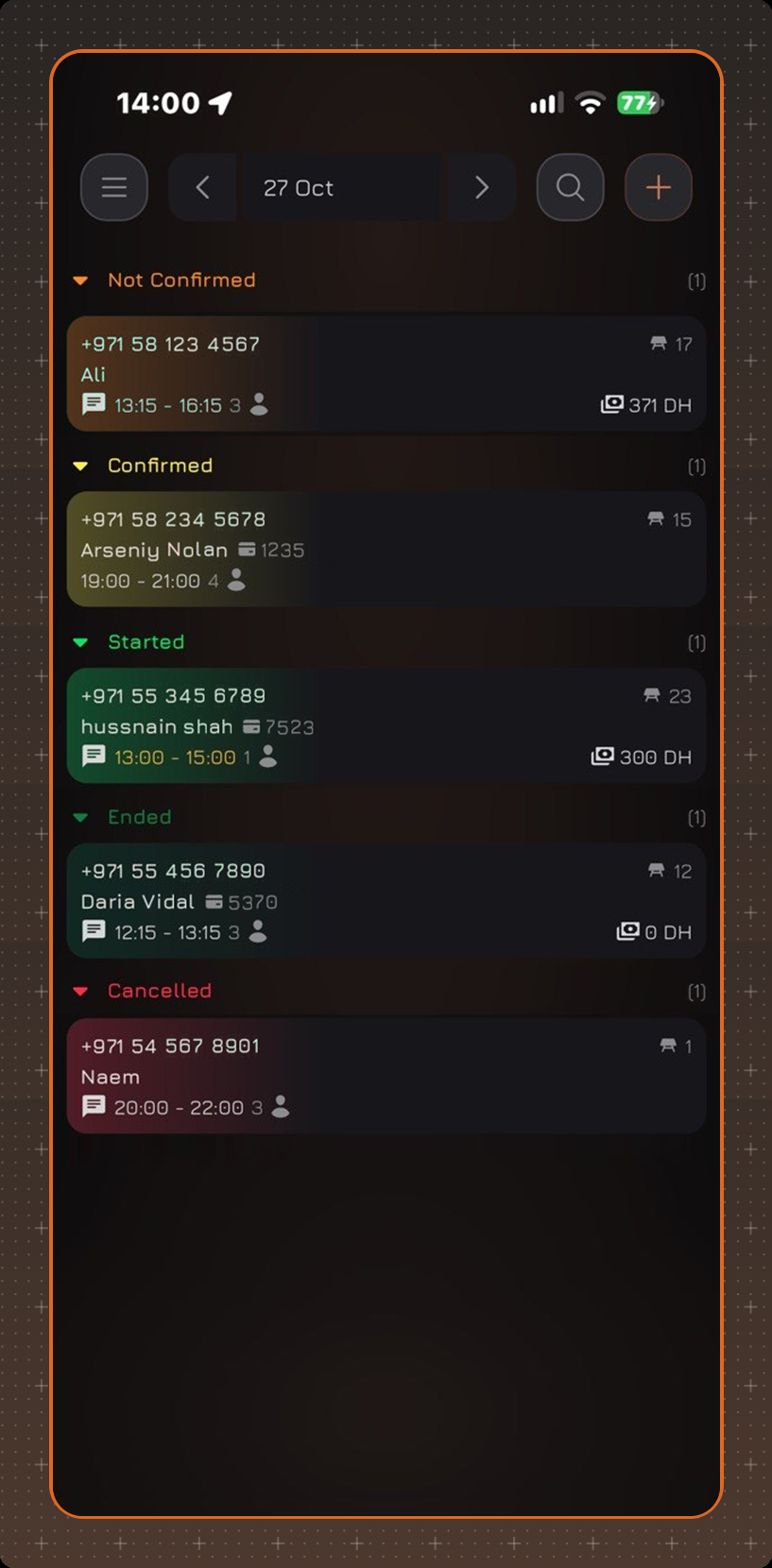
The main screen of the CosmosResto Reservations app on the phone - the list of reservations for the selected date.
CosmosResto Reservations on the phone is an app for working with reservations without a computer or tablet. Installation and login are described in the Reservations article.
After login, the list of reservations for the current date opens. Reservations are grouped by status in the following order: Not Confirmed, Confirmed, Started, Ended, Cancelled. The number of reservations in a group is shown next to its name.
Reservation Card
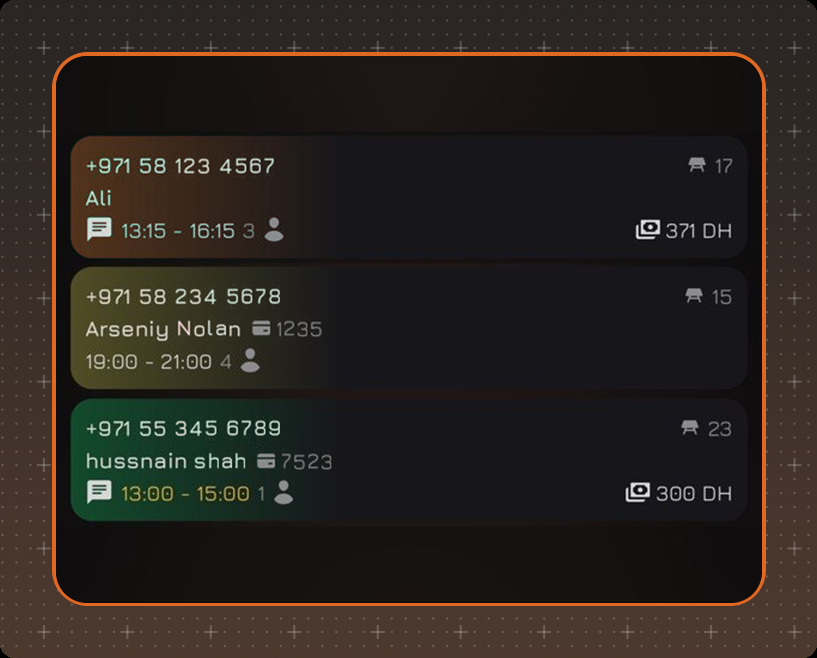
A reservation card shows:
- the guest's phone number and name, loyalty card number;
- the table - if the reservation is for several tables, the number of the other tables is shown next to it, for example +1. A lock next to the table means that Don't Change is on in the reservation: the table and the guest cannot be changed;
- start and end time, number of guests;
- a comment icon if the reservation has a comment;
- the table's minimum spend - how much has already been spent out of the amount that has to be spent at this table, for example 3K/26K DH;
- the time until the guest arrives.
If another employee is editing the reservation at the moment, the card shows the name of this employee.
To open a reservation, tap its card - see the Reservation View article.
Screen Elements
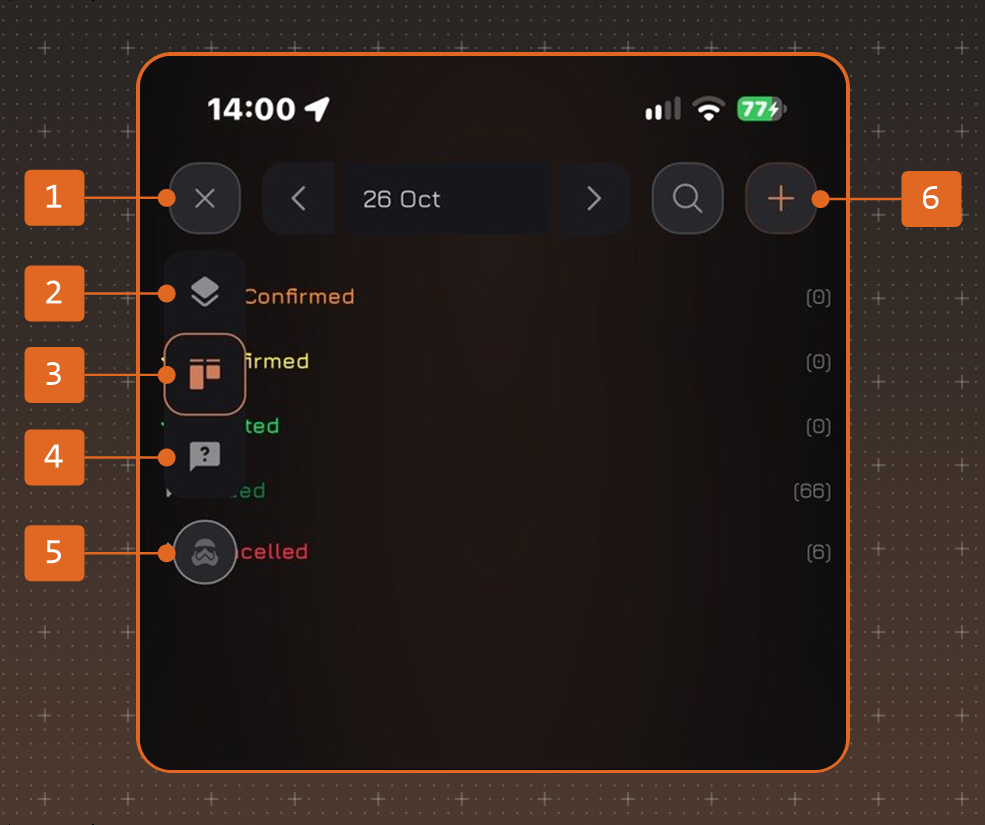
- Menu - opens and closes the menu of the app sections. The open section is highlighted with a frame.
- Floor Plan
- Reservation List
- Requests
- Profile - see below.
- + - creating a reservation, see the Creating a Reservation article.
Profile
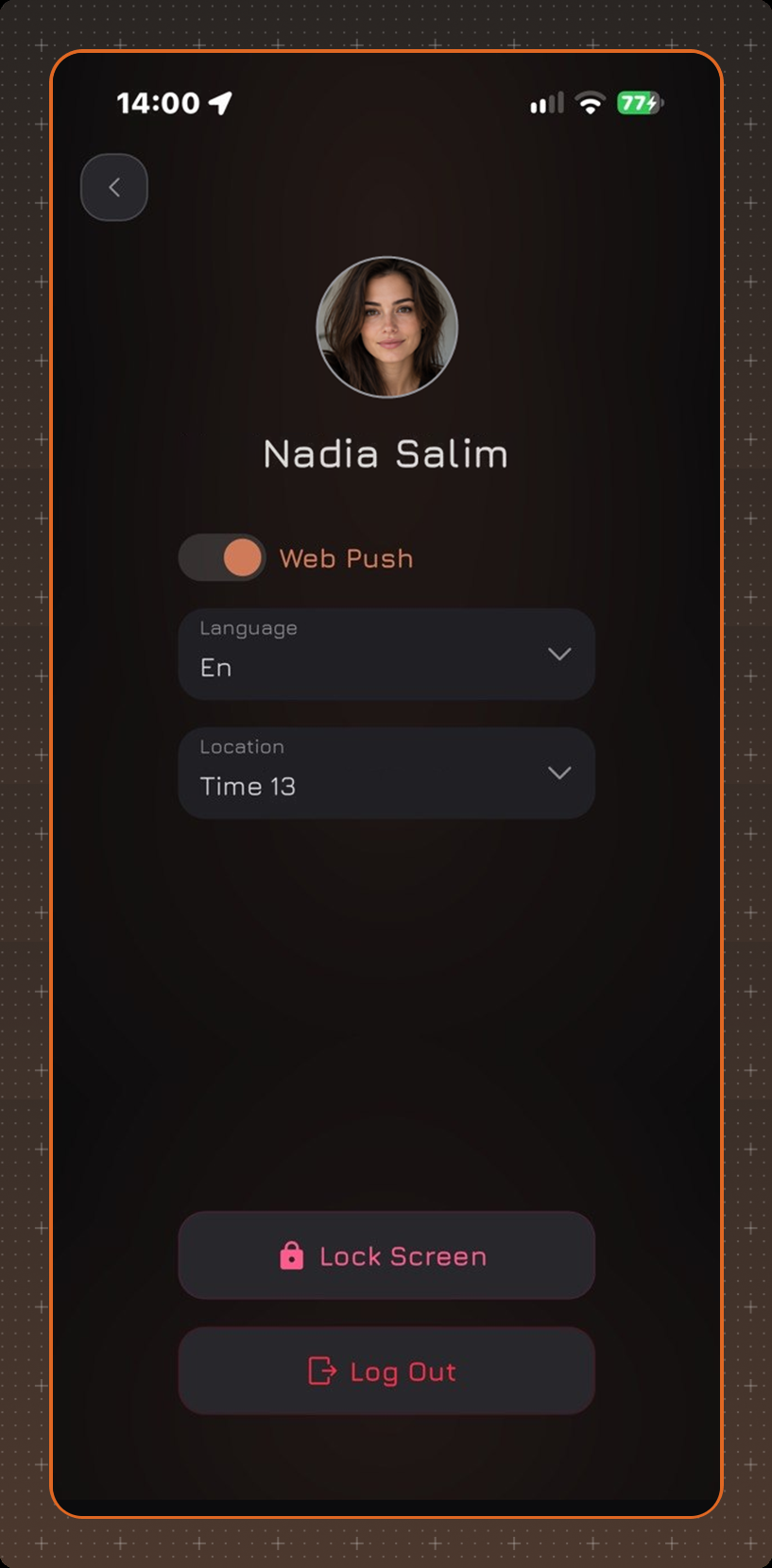
The profile opens from the menu. Here you can turn Web Push notifications on or off and select the Language and the Location you work with. Lock Screen locks the app, Log Out logs you out of the account.