

Reservations
Cosmos Reservations - mobile application for tablets for working in the reservations system.
iOS link: App Store
Instructions for logging into the application on iOS:
-
Open the application
-
In the "Connection" field enter the value that indicates your establishment
How to find out: Take the part of the link where you open Cosmos in the browser. The required part of the link is indicated before csmresto.ru. For example, for https://demo.csmresto.ru/ the value is demo. If you are unsure, the value can be clarified from technical support.
-
Click "Connect"
-
Enter employee login details
-
Click "Log in"
"Server is temporarily unavailable" when trying to log in, then most likely the value in the second step was entered incorrectly. For this you need to:
- Close the application
- Open the application
- Click "Return for connection selection"
- In the "Connection" field enter the value that indicates your establishment
- Click "Connect"
- Enter employee login details
- Click "Log in"
If the problem persists, contact technical support, we will help you figure it out
Instructions for installing the application on Android:
To use Cosmos Reservations on an Android tablet, you need to:
-
Open the reservations module in a browser (link format
https://……reserv.csmresto.ru) -
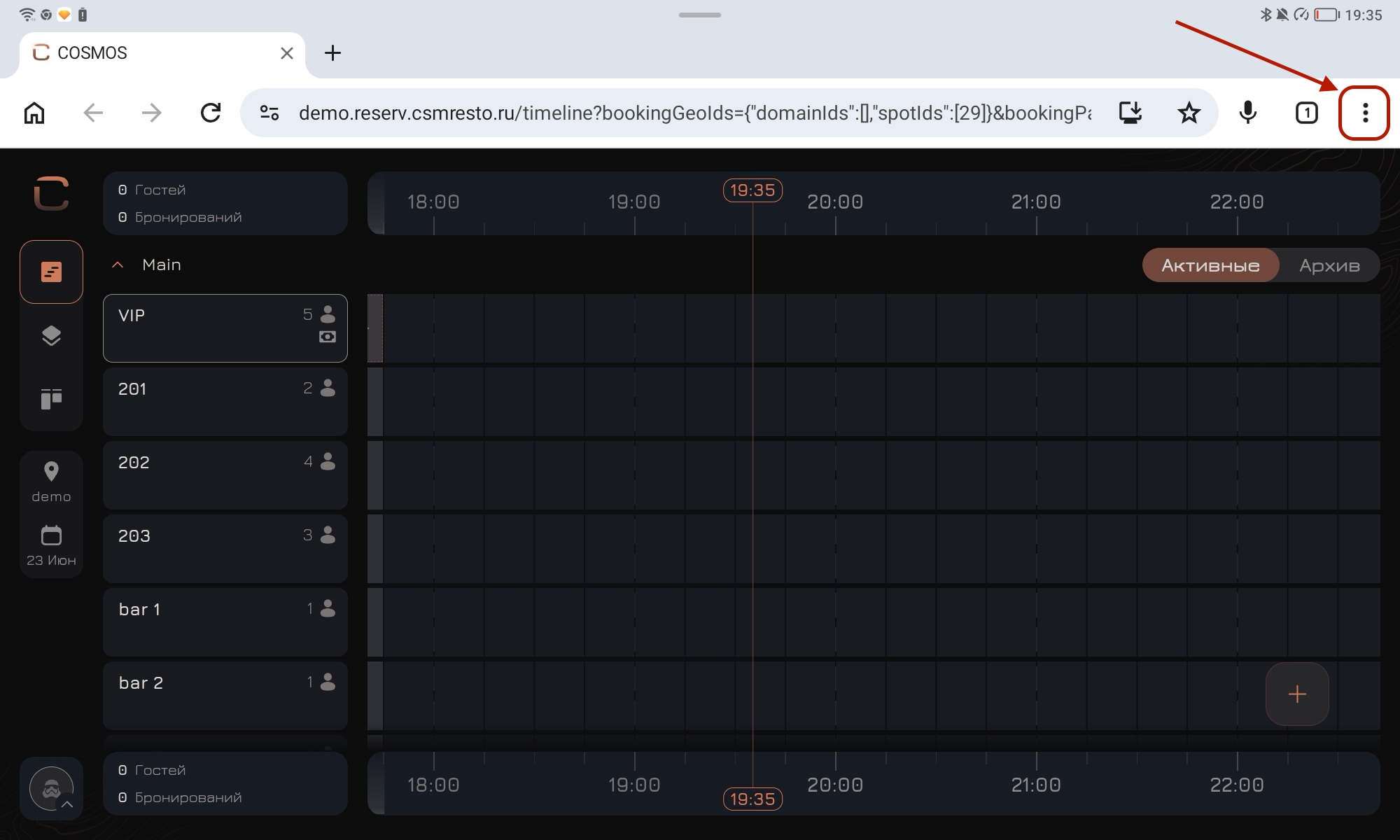
Go to page actions - click on three dots
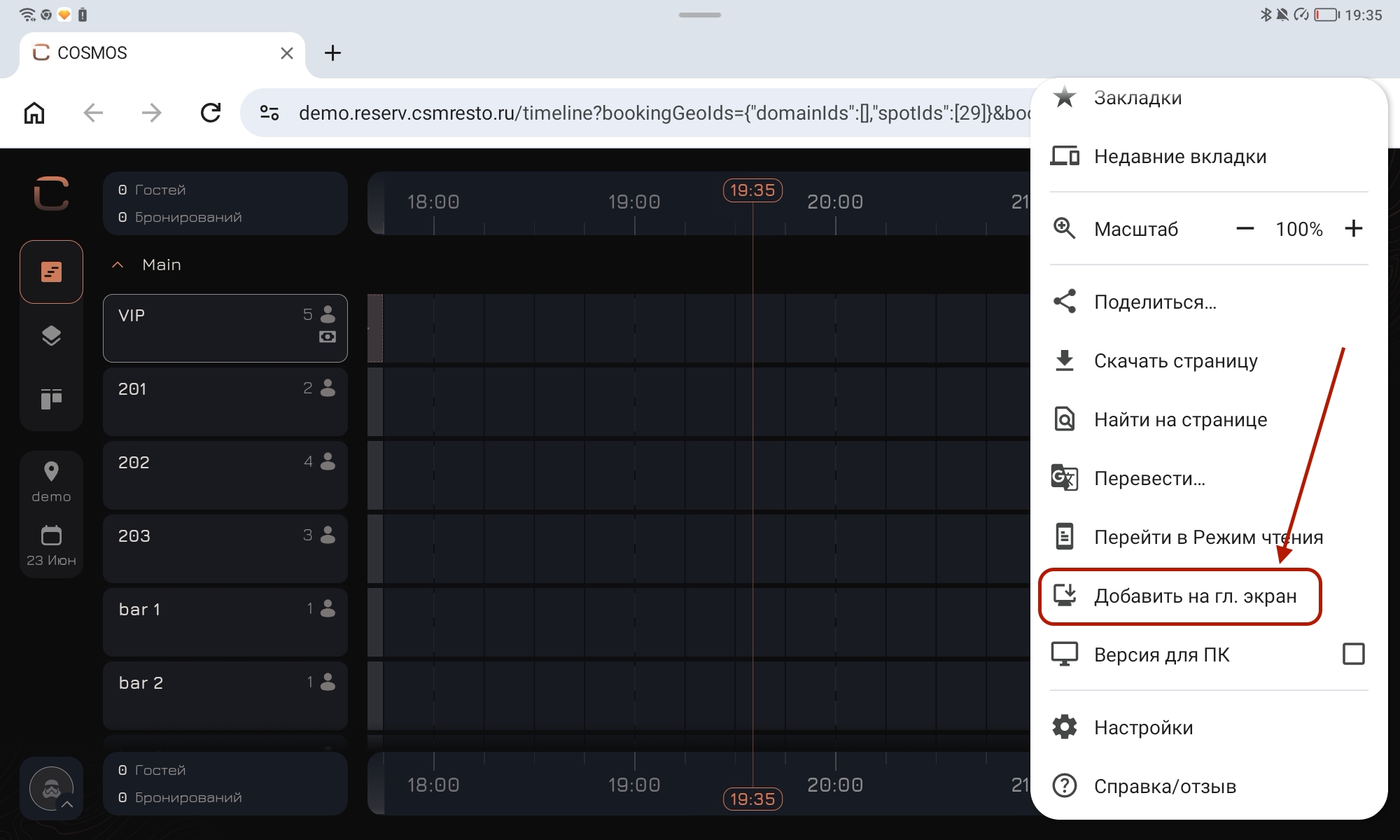
- Select the action "Add to home screen"
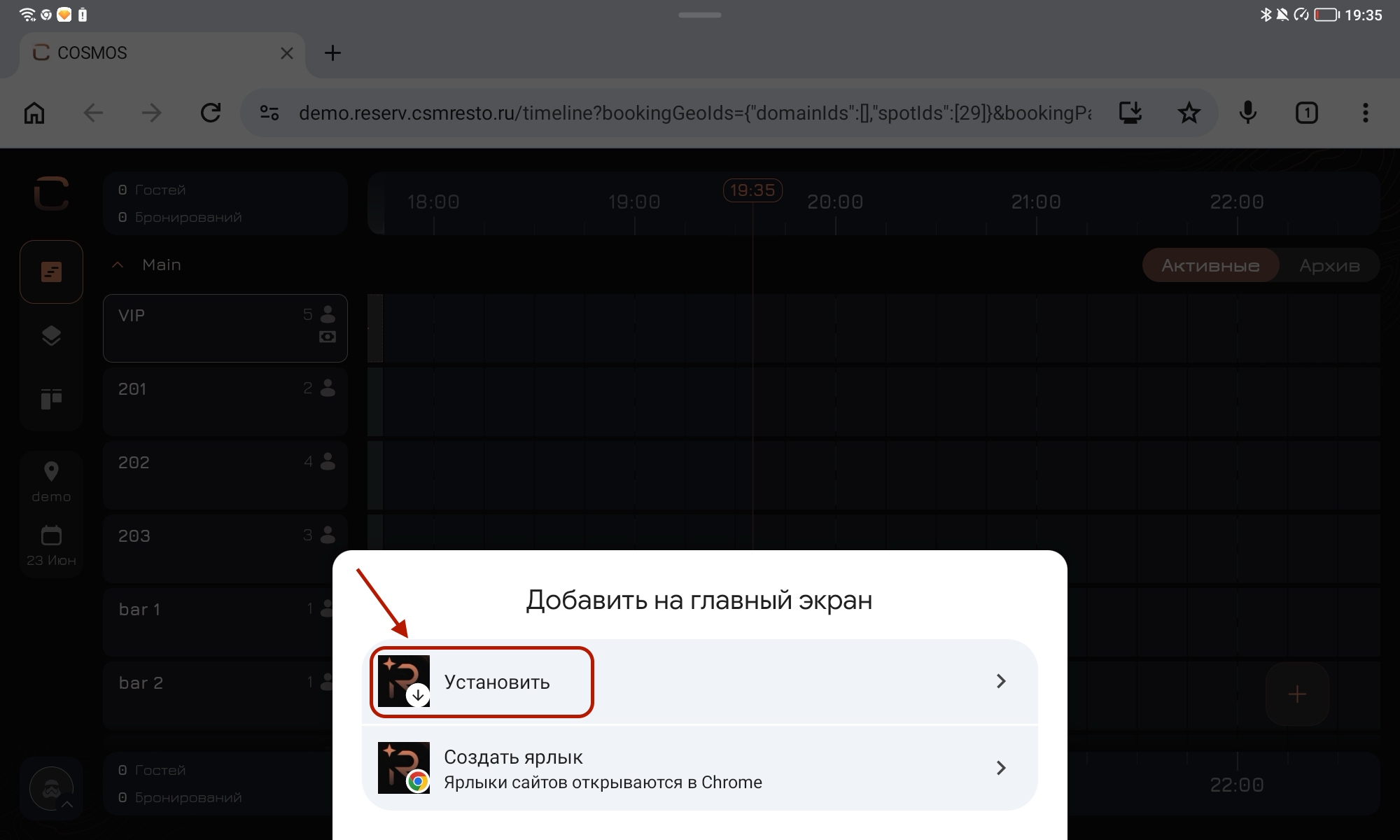
- In the appearing window select "Install"
- Confirm the installation
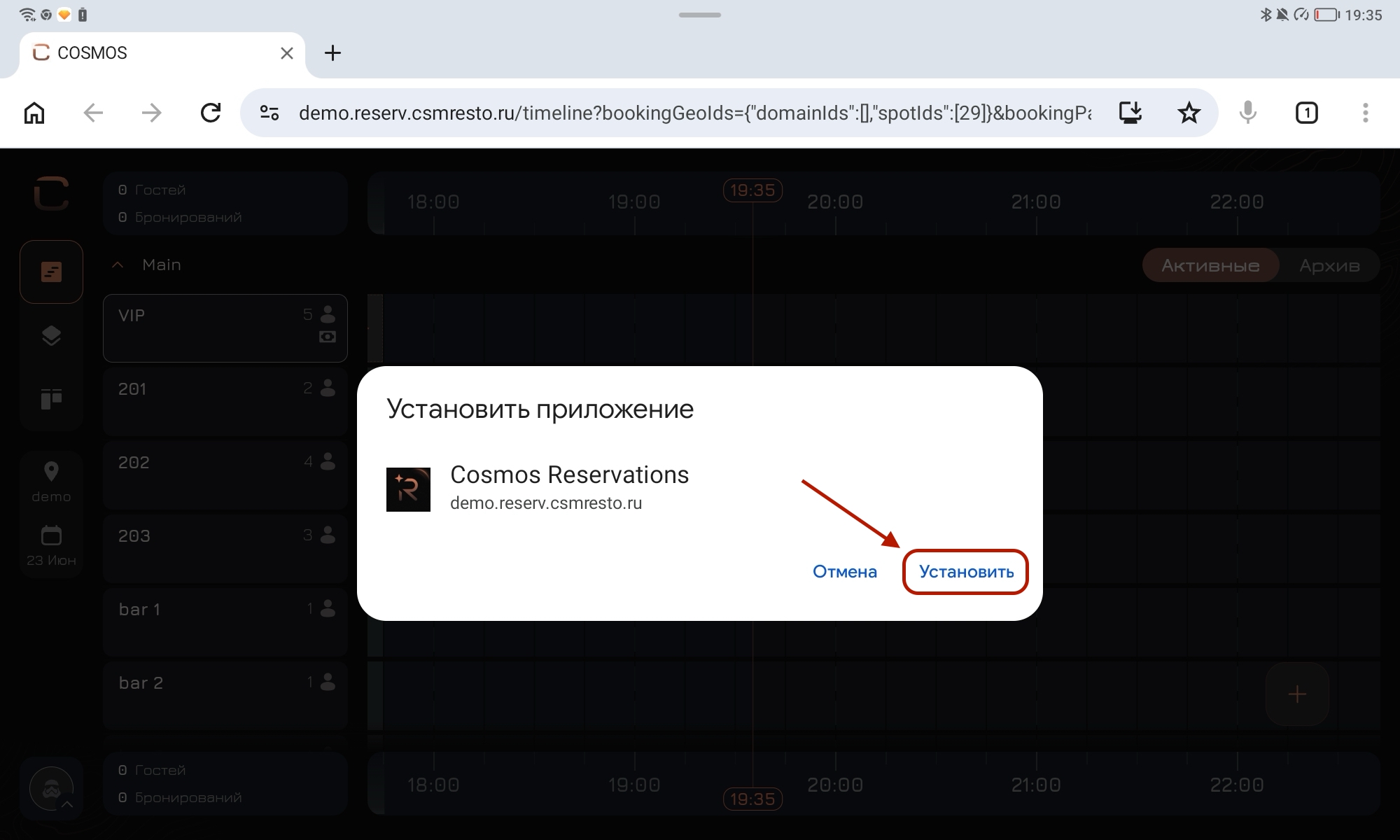
After this, the Cosmos Reservations application icon will appear on the home screen - now you can open reservations on the tablet through it.