

Reservation View
How to open a reservation and the guest info in the CosmosResto Reservations app on the phone.
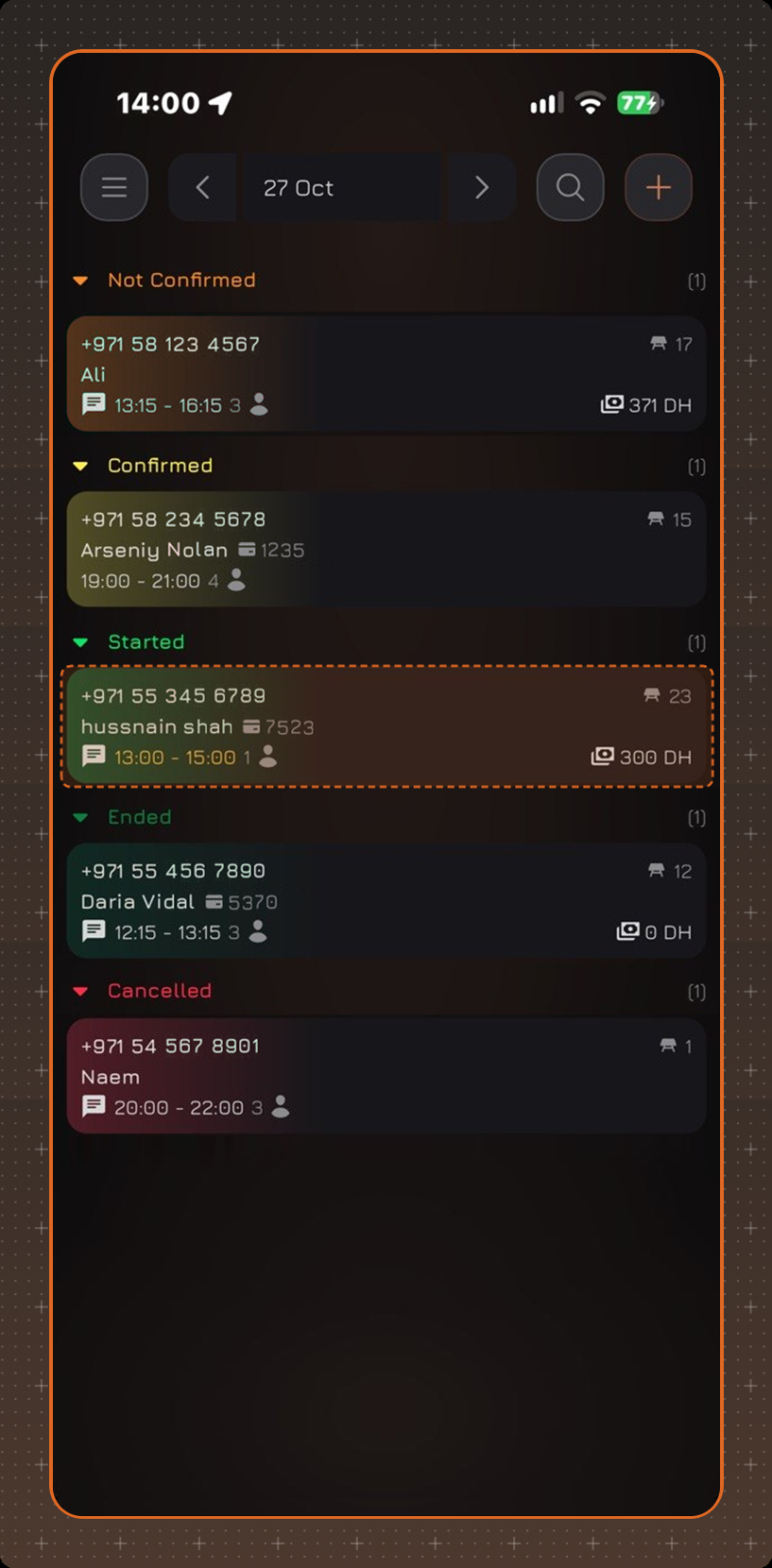
To open a reservation, tap its card in the reservation list.
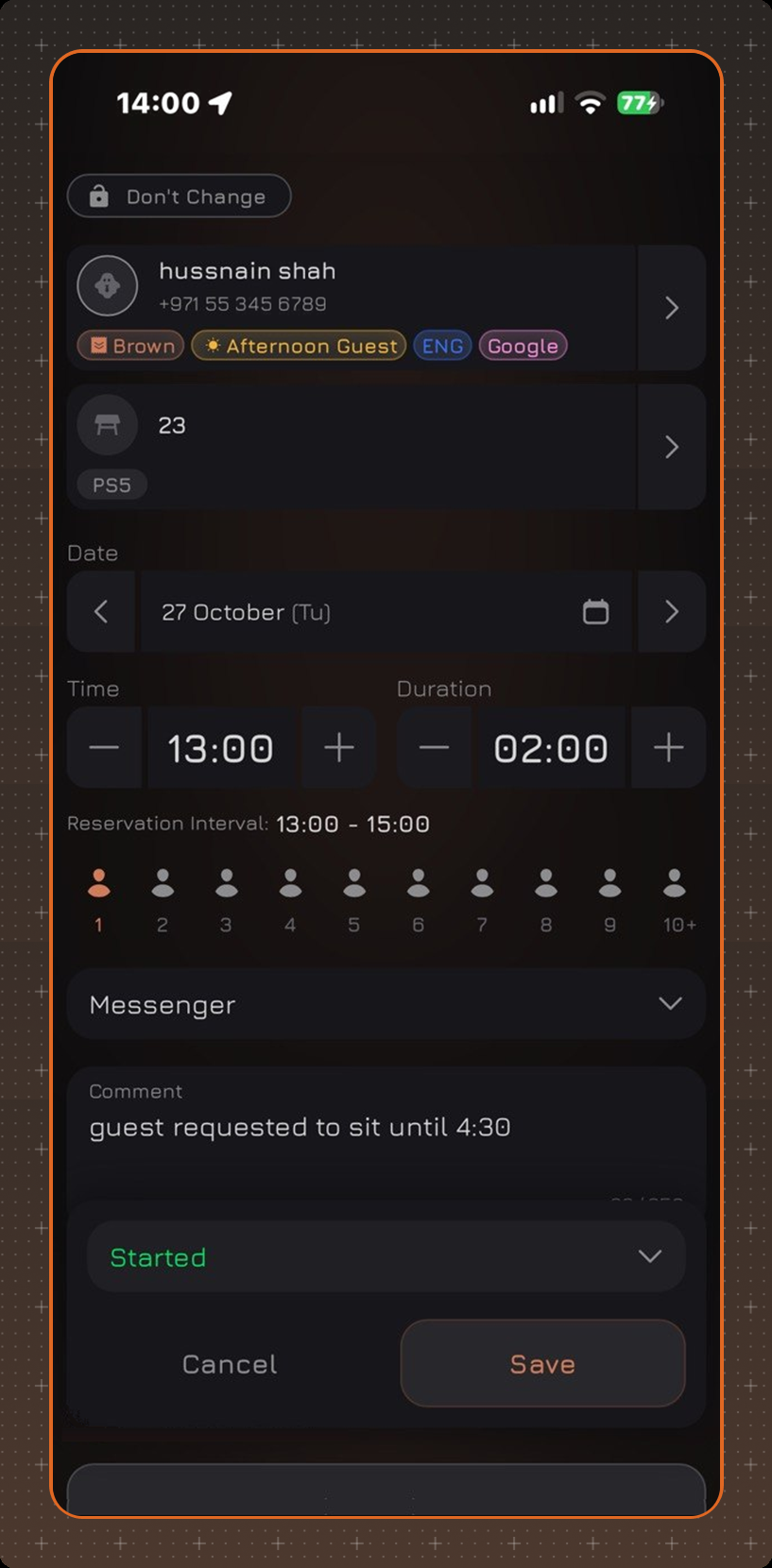
The reservation opens with all its details: guest, table, date, time and duration, number of guests, source, comment and status. The guest's tags are shown under the guest's name. You can change the details and tap Save.
Guest Info
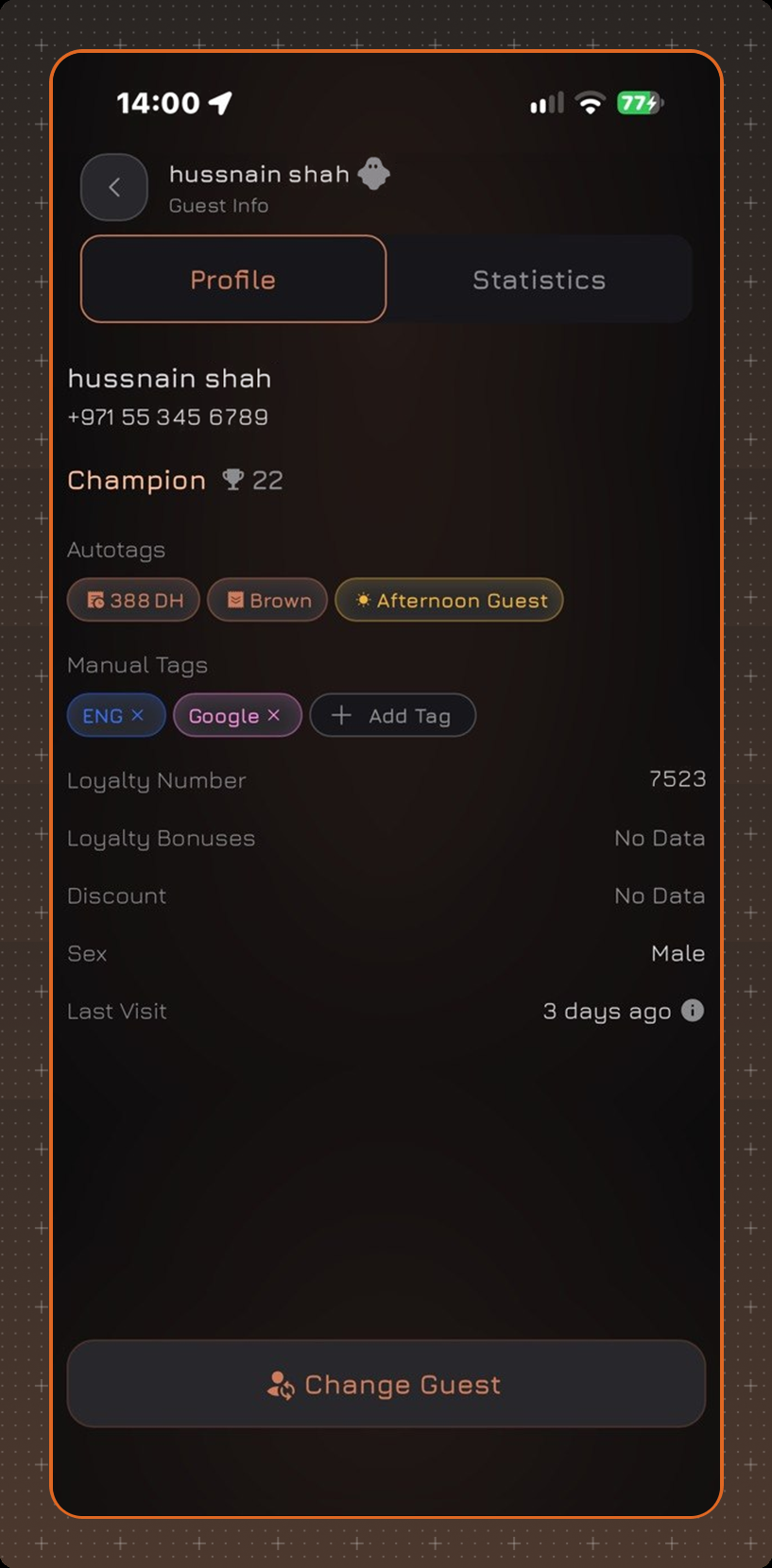
To see the guest info, tap the guest in the reservation. The info is split into two tabs: Profile and Statistics.
The Profile tab shows:
- the guest's name and phone number;
- Autotags and Manual Tags - a manual tag can be added with Add Tag or removed with the cross;
- Loyalty Number, Loyalty Bonuses, Discount;
- Sex and Last Visit;
- the guest's note.
The Statistics tab shows:
- Visits - how many times the guest came, cancelled a reservation or did not show up, in percent and in numbers;
- Last Check - the button opens the guest's last order;
- Top Products - what the guest orders most often, with Top Modifiers for them.
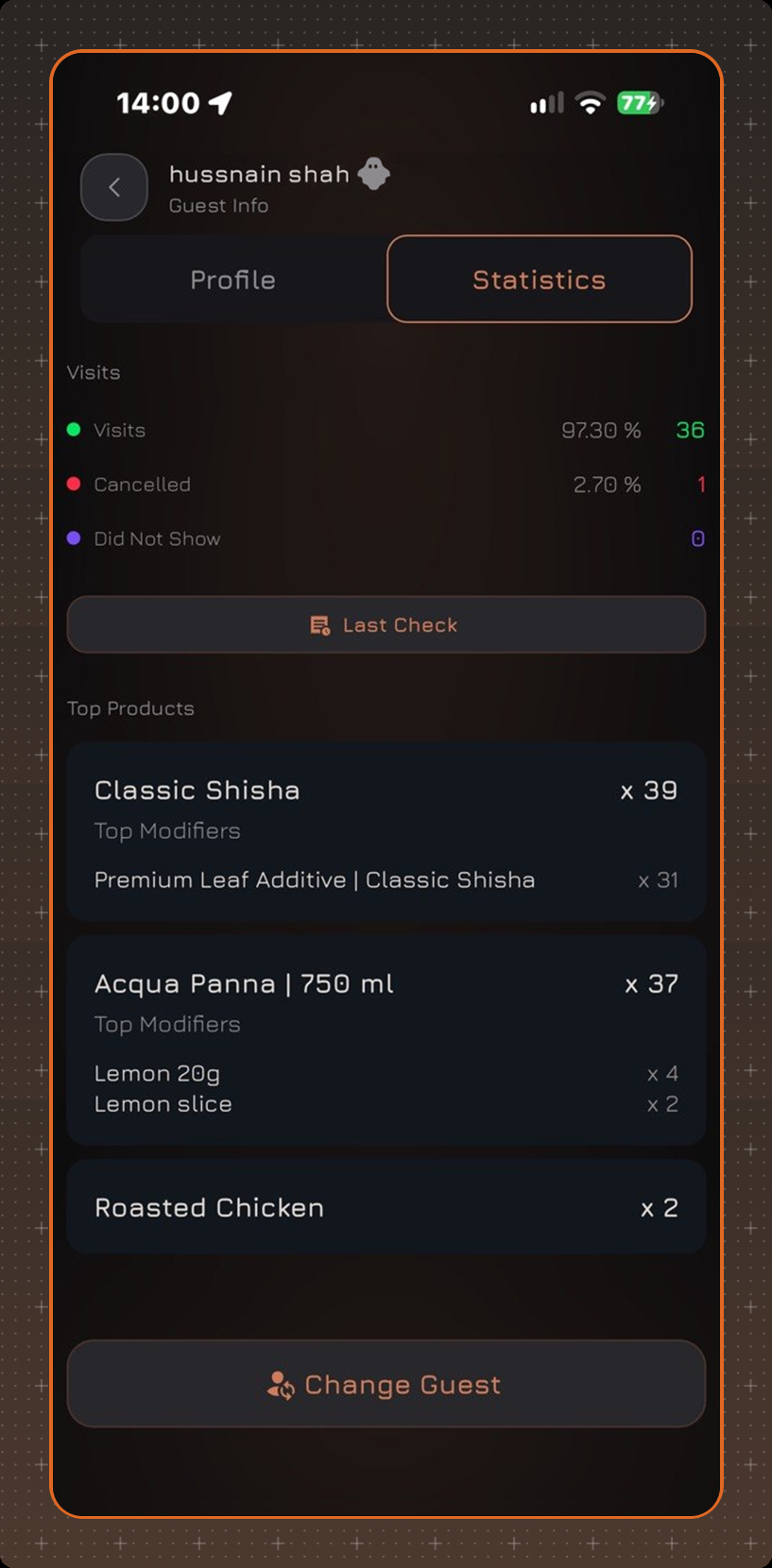
To replace the guest in the reservation, tap Change Guest at the bottom of the screen.