

Reservation Sources
In this section you will learn how to choose the reservation sources, reservation cancellation reasons and request rejection reasons available at a location.
Depending on how a venue works, it uses different reservation sources and cancellation reasons. Three lists are set up for each location:
- Reservation Sources - available when creating and editing a reservation.
- Reservation Cancellation Reason - available when cancelling a reservation, including a reservation on the waitlist.
- Request Rejection Reason - available when rejecting a request.
In each list you choose the values available to staff and one default value. The default value is filled in automatically when a staff member creates a reservation, cancels it or rejects a request.
To open the settings, go to Reservations → Settings, select the location in the Location field and open the fourth tab in the upper right corner.
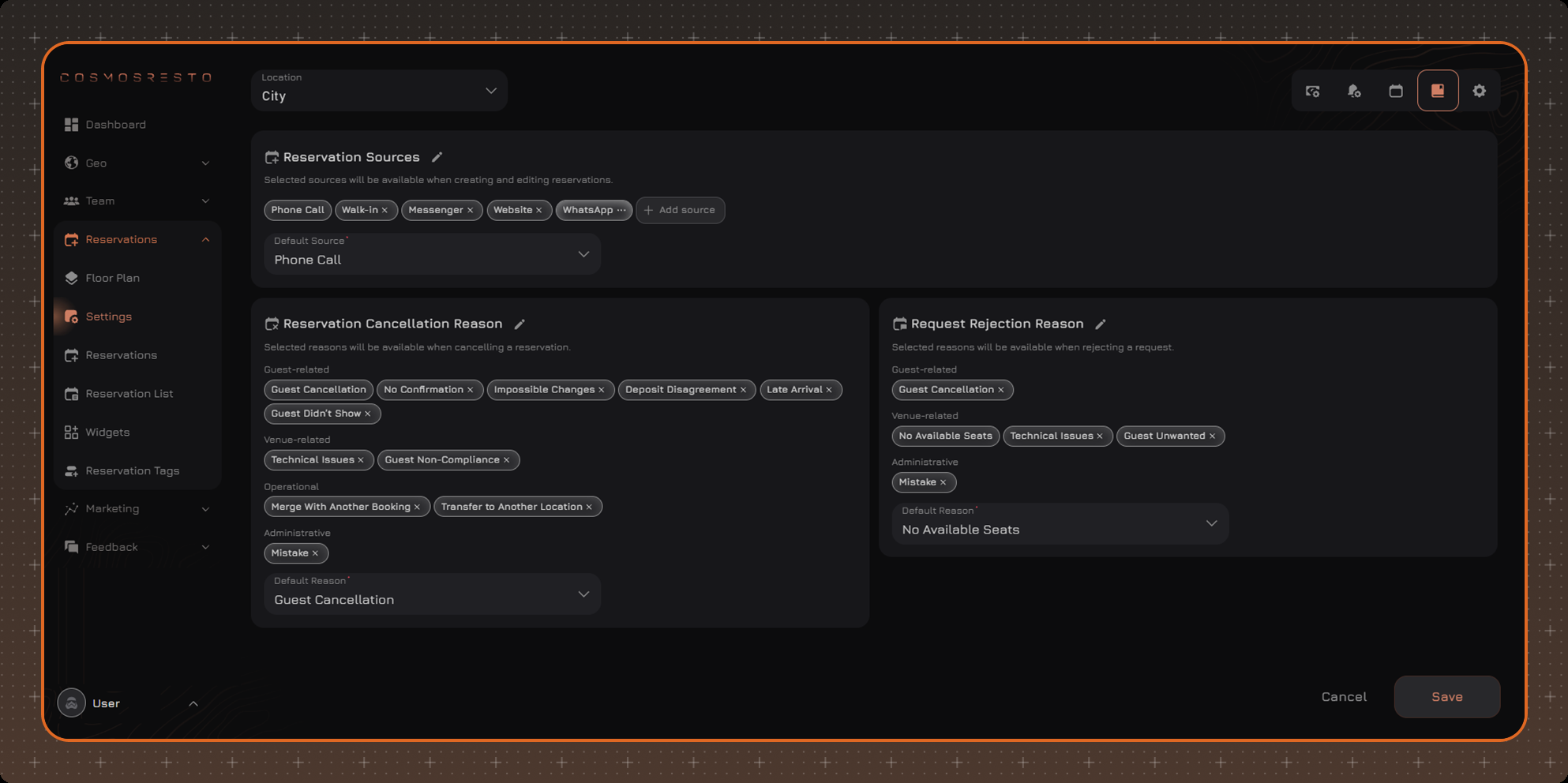
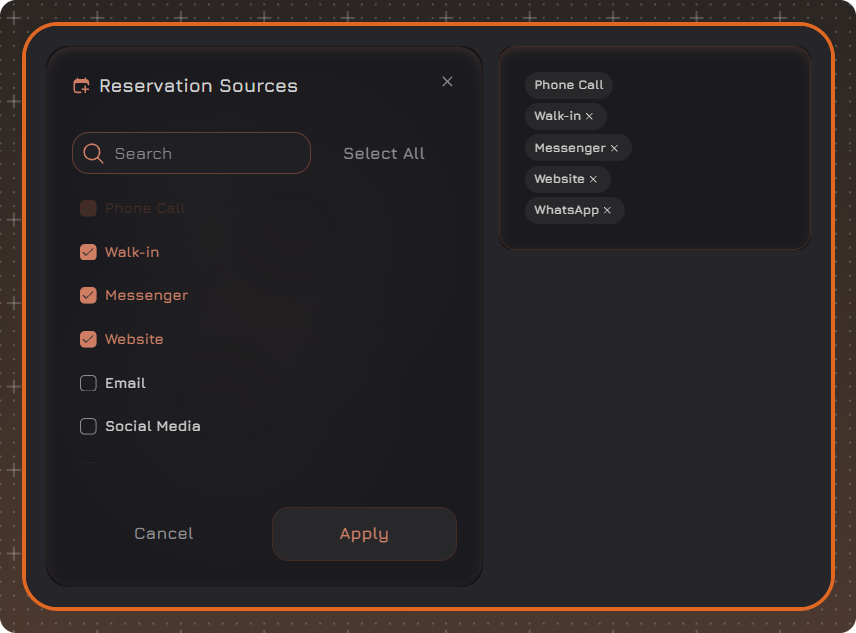
To change the lists, click Edit - a pencil icon appears next to the name of each block. It opens a window with all possible values: check the ones you need or click Select All, then click Apply. The default value cannot be unchecked in this window - first choose another default value. To apply the changes, click Save.
Reservation Sources
By default, the sources Phone Call, Walk-in, Messenger and Website are available at a location. The other standard sources - Email, Social Media, Staff, Partner, Concierge Service, Event Agency - can be enabled in the selection window opened by the pencil icon.
Default Source - the source that is automatically filled in when a reservation is created manually. In the reservation it can be changed to another source from the list.
The source of a reservation from the widget or from Yandex is set automatically and does not depend on this setting. In a reservation created from a request, the source is taken from the request and cannot be changed.
Custom Reservation Sources
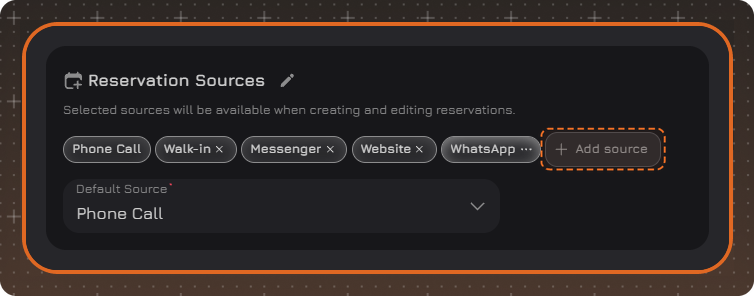
In addition to the standard sources, you can add your own source, for example the name of a concierge service or a partner. To do this, click Add source, enter a name and save.
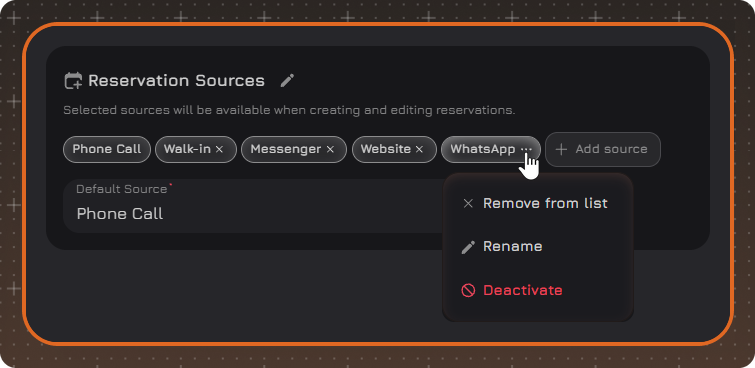
A custom source has a three-dot icon instead of a cross. It opens a menu:
- Remove from list - makes the source unavailable for selection, like the cross on standard sources. The source is not deleted: to bring it back, open the selection window with the pencil icon and check the source again.
- Rename.
- Deactivate - disables the source permanently. Reservations with this source are kept, but the source cannot be restored after deactivation.
Reservation Cancellation Reason
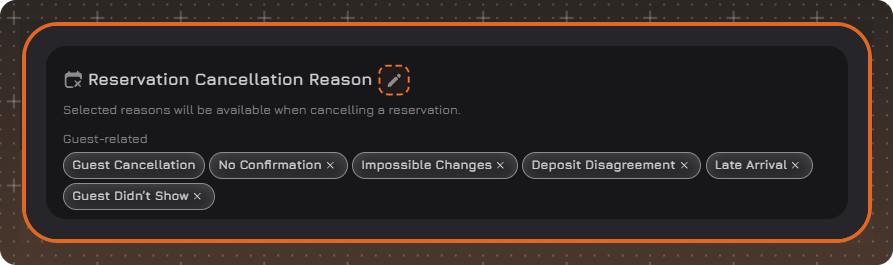
Cancellation reasons are available when cancelling a reservation, including a reservation on the waitlist. The value of the Default Reason field is filled in automatically and can be changed to another reason from the list.
Possible reasons are divided into groups:
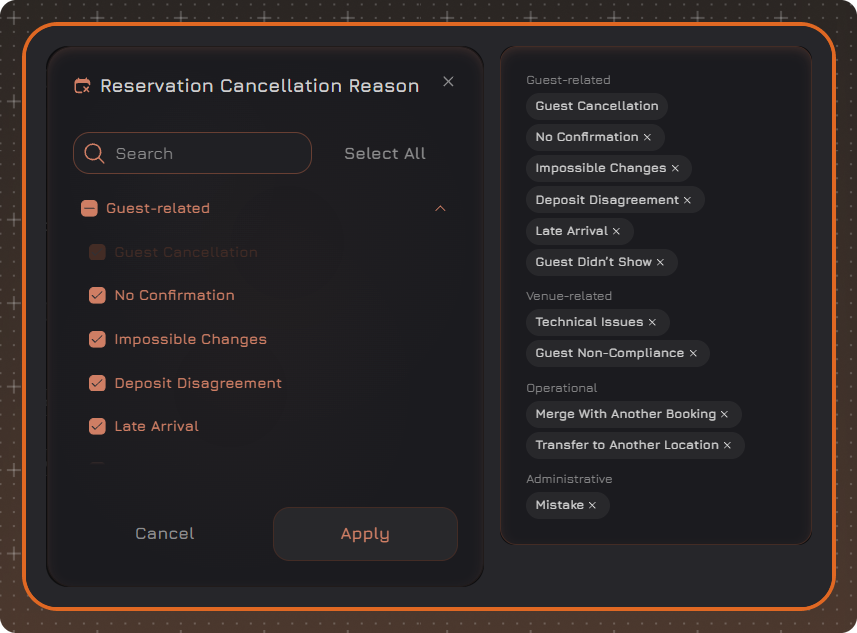
- Guest-related: Guest Cancellation, No Confirmation, Impossible Changes, Deposit Disagreement, Late Arrival, Guest Didn't Show, Invalid Data.
- Venue-related: No Available Seats, Venue Closed, Technical Issues, Guest Non-Compliance, Guest Unwanted.
- Operational: Merge With Another Booking, Transfer to Another Location, Rescheduled.
- Administrative: Mistake, Duplicate.
Reasons are chosen in the window opened by the pencil icon next to the Reservation Cancellation Reason block.
In the window, check the reasons you need. The reasons already selected are shown on the right.
Request Rejection Reason
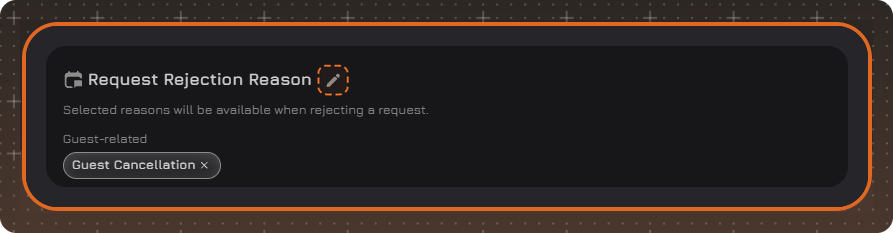
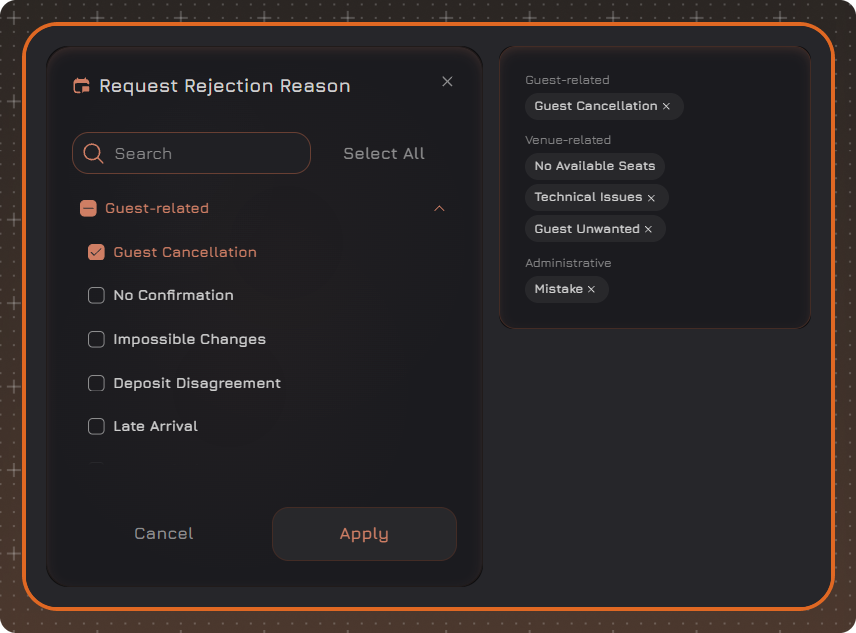
Rejection reasons are available when rejecting a request. They are chosen from the same groups as cancellation reasons, but are set up separately, with their own value in the Default Reason field.
Reasons are chosen in the window opened by the pencil icon next to the Request Rejection Reason block.
In the window, check the reasons you need. The reasons already selected are shown on the right.
Values Removed From the List
If a value is removed from the list or deactivated, saved reservations do not change:
- In reservations where it was selected, the value is still displayed.
- Statistics for this value are kept.
Such a value cannot be selected in a new or existing reservation. If it is replaced with another value in a reservation and the changes are saved, the previous value cannot be returned.
The filters of the reservation and request lists offer only the values enabled in the settings.