

General Information
What RFM is used for
RFM automatically groups guests based on their activity and value to the business. This helps you quickly identify the most loyal guests, those who are beginning to lose interest, and those who need to be re-engaged.
Assigned RFM Statuses can be used when working with the guest database, analyzing the audience, and building marketing scenarios.
RFM is calculated based on three metrics:
✔ Recency (R) — Number Of Days Since The Last Purchase
✔ Frequency (F) — Average Number Of Checks Per Month Over A Six-Month Period
✔ Monetary (M) — Guest Rating Based On The Amount Spent
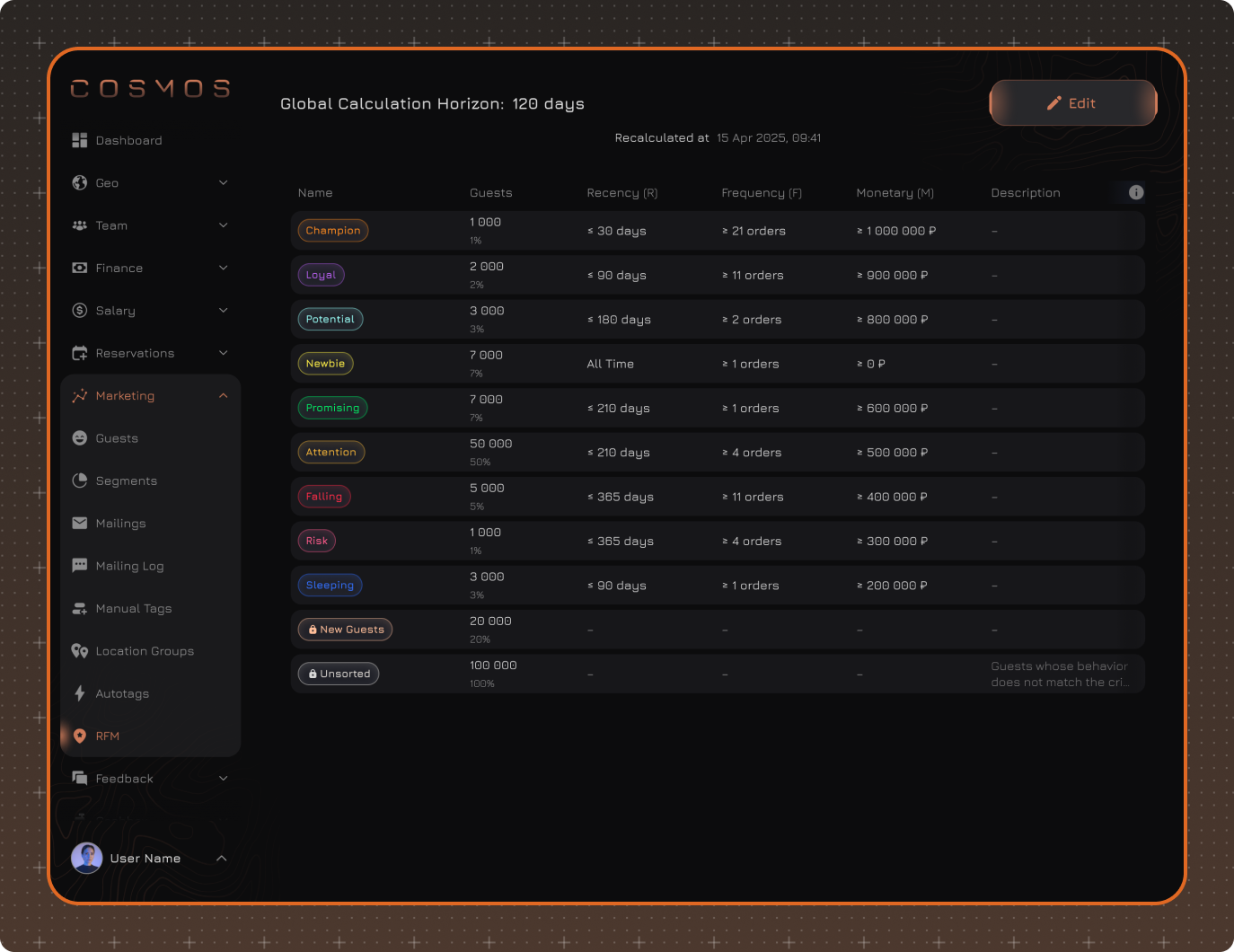
Each guest is automatically assigned an RFM Status according to the configured segmentation rules. The status determines which category the guest belongs to based on their visit and spending history.
In addition to the RFM Status, an RFM Score is calculated for the most valuable guests. It shows the guest's position among guests with the highest metrics and helps identify the most valuable guests within RFM segments. The score is calculated only for the top 1,000 guests. All other guests are assigned only an RFM Status.
Where RFM is displayed
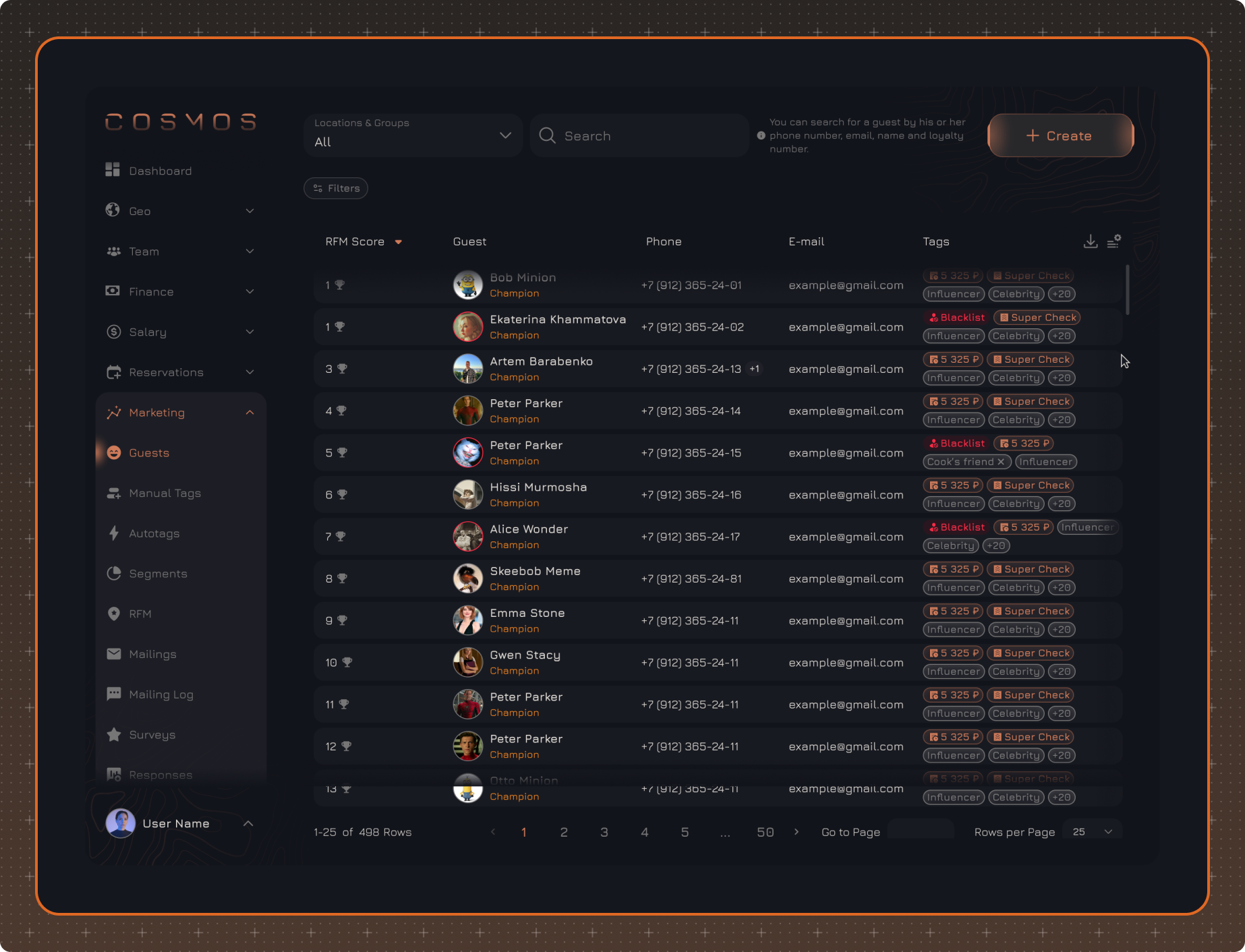
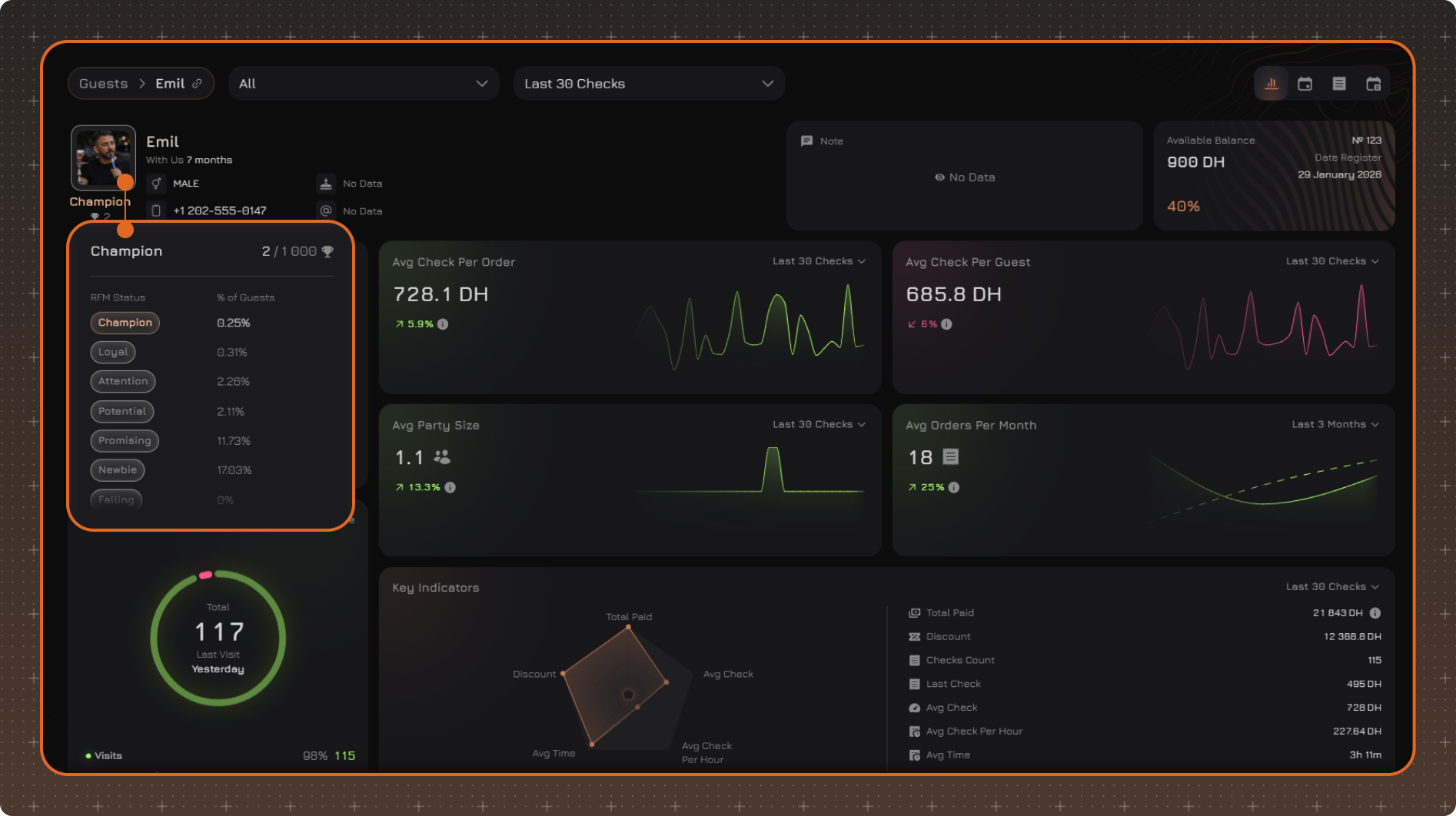
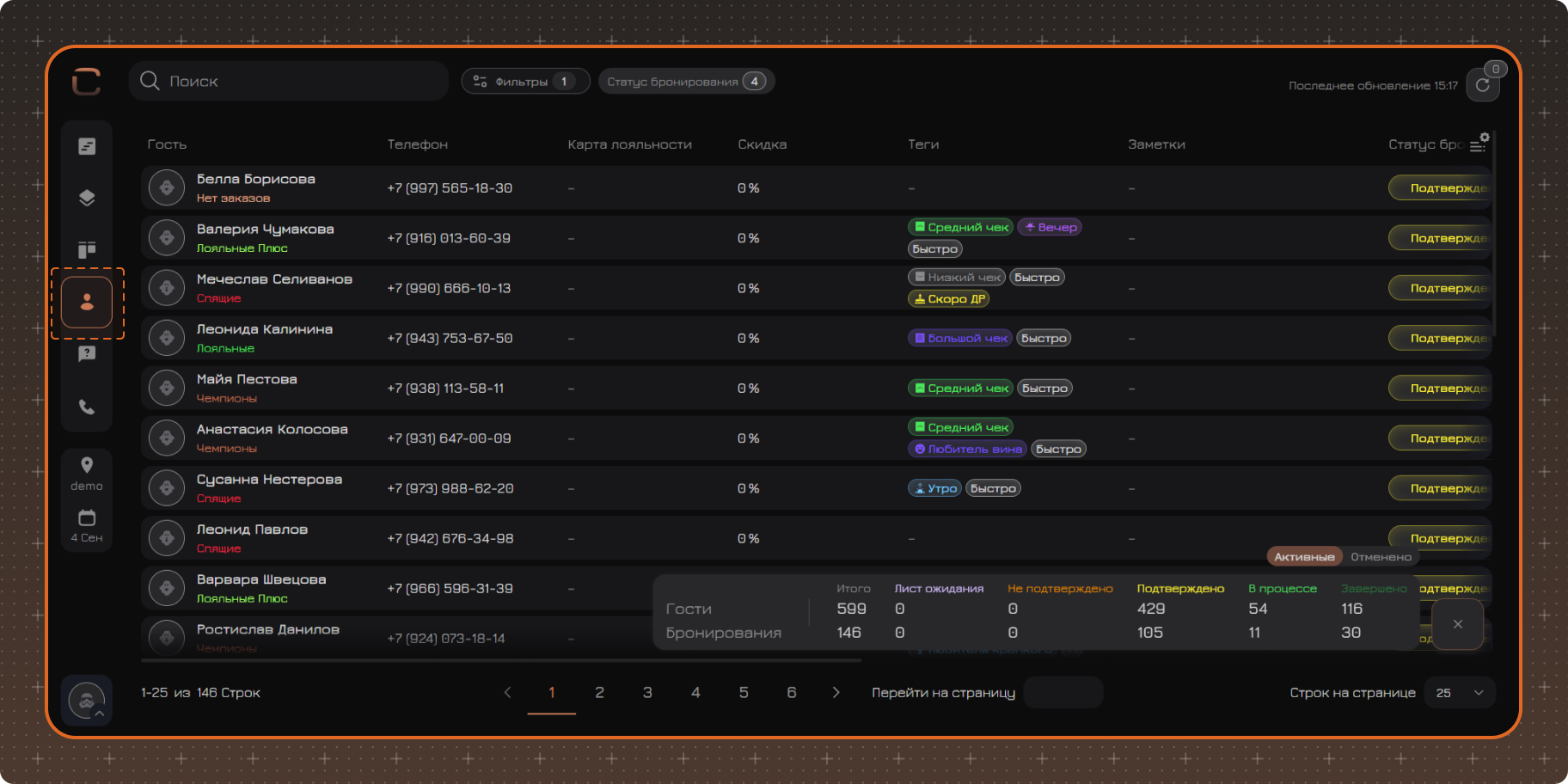
RFM information is displayed in several sections of the system:
✔ Marketing → Guests — the current RFM Status is displayed under each guest's name.
✔ Marketing → Guests — click the required guest and hover over their avatar to view the current RFM Status, RFM Score (if calculated), and status description.
✔ Reservations → Reservation List — RFM is displayed under the guest's name.
System Statuses
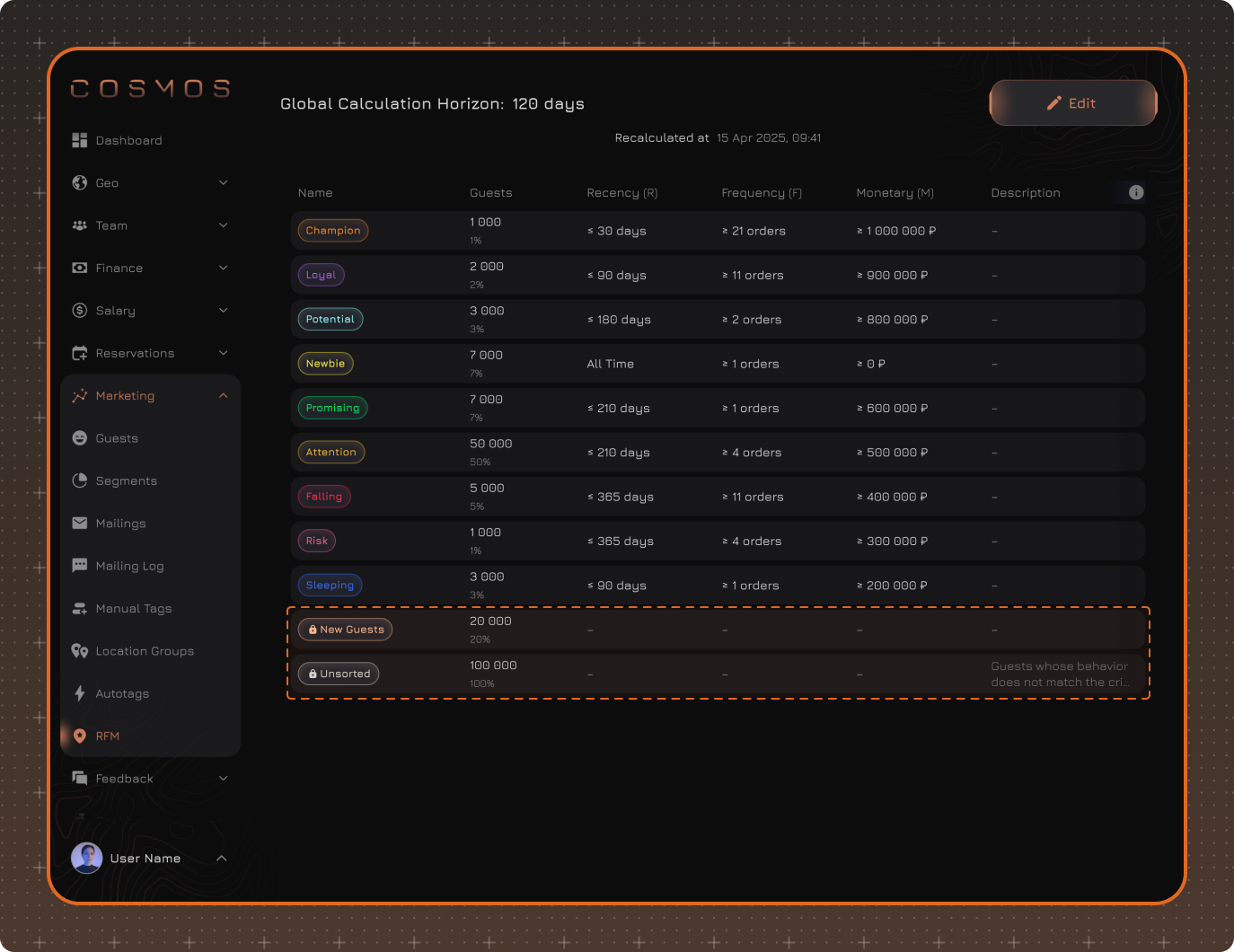
The system includes two system RFM Statuses that are created automatically.
✔ No Orders — guests who have not yet had any visits or checks.
✔ Unsorted — guests who have had at least one visit but do not meet the conditions of any configured RFM Status. Deactivated guests are also automatically assigned this status.
System Status rows are not interactive and cannot be changed or deleted.