

Reports
The Reports page shows saved Master Chart reports.
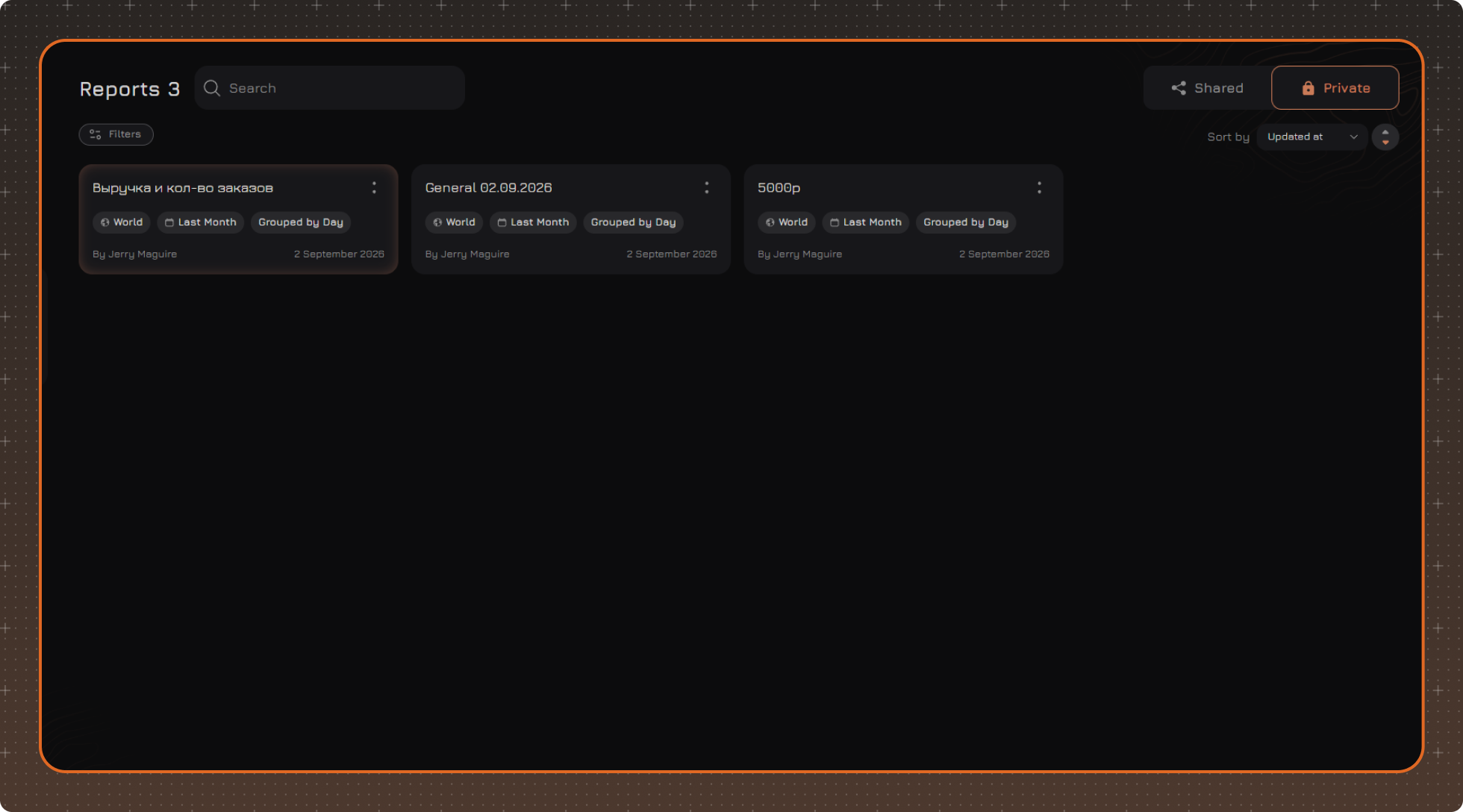
Reports are divided into two tabs:
- Shared — reports available to other users of the Analytics module
- Private — personal reports available only to their author
To find a report, use the search by name.
Report Actions
Click the two-dot button on the report card to open the actions menu:
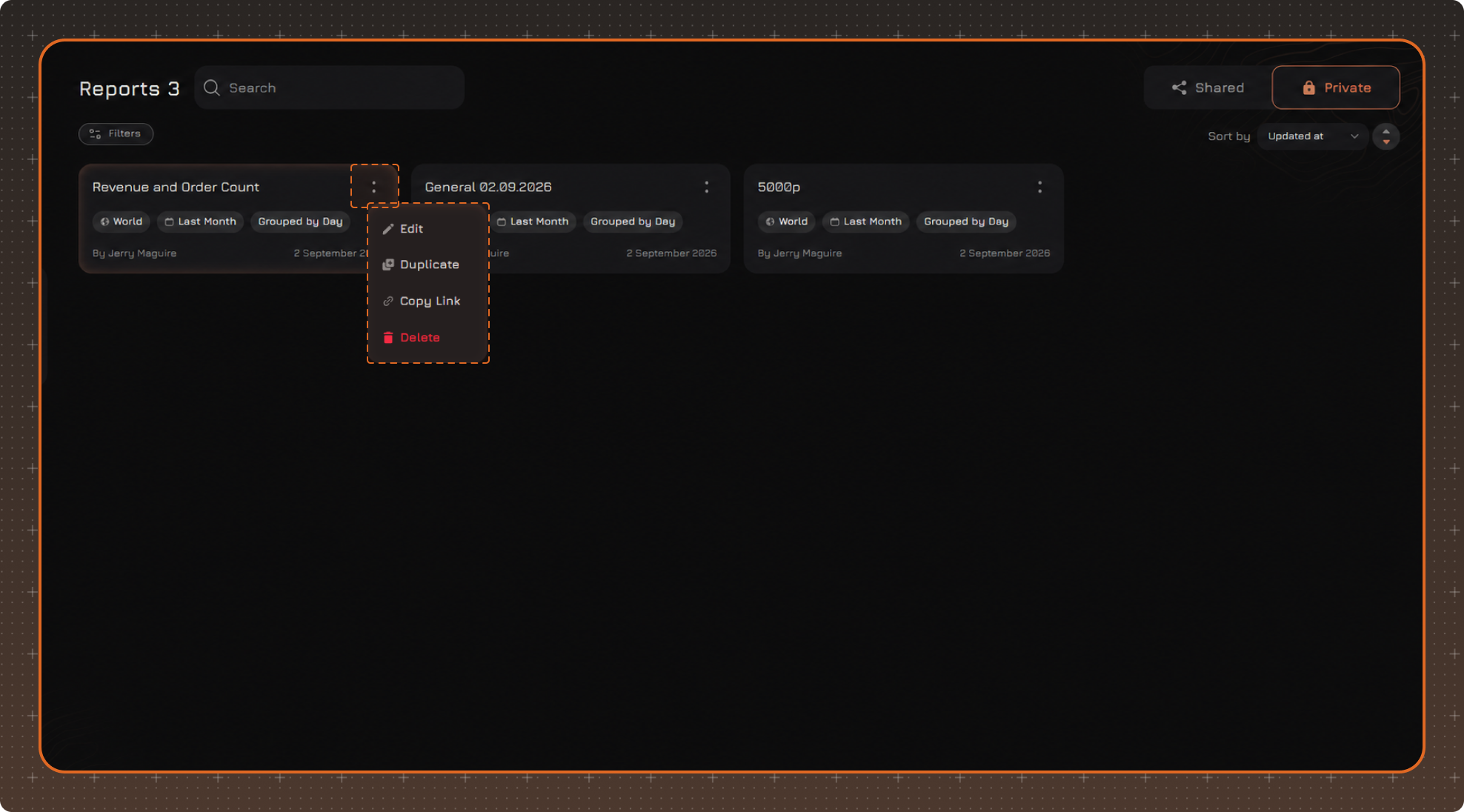
- Edit
- Duplicate
- Copy Link
- Delete
Duplicating a report opens the window for saving a new report. If the original report is available to other users, its copy can be saved as a private report and changed independently of the original.
Filters
If necessary, click Filters to set additional filtering conditions.
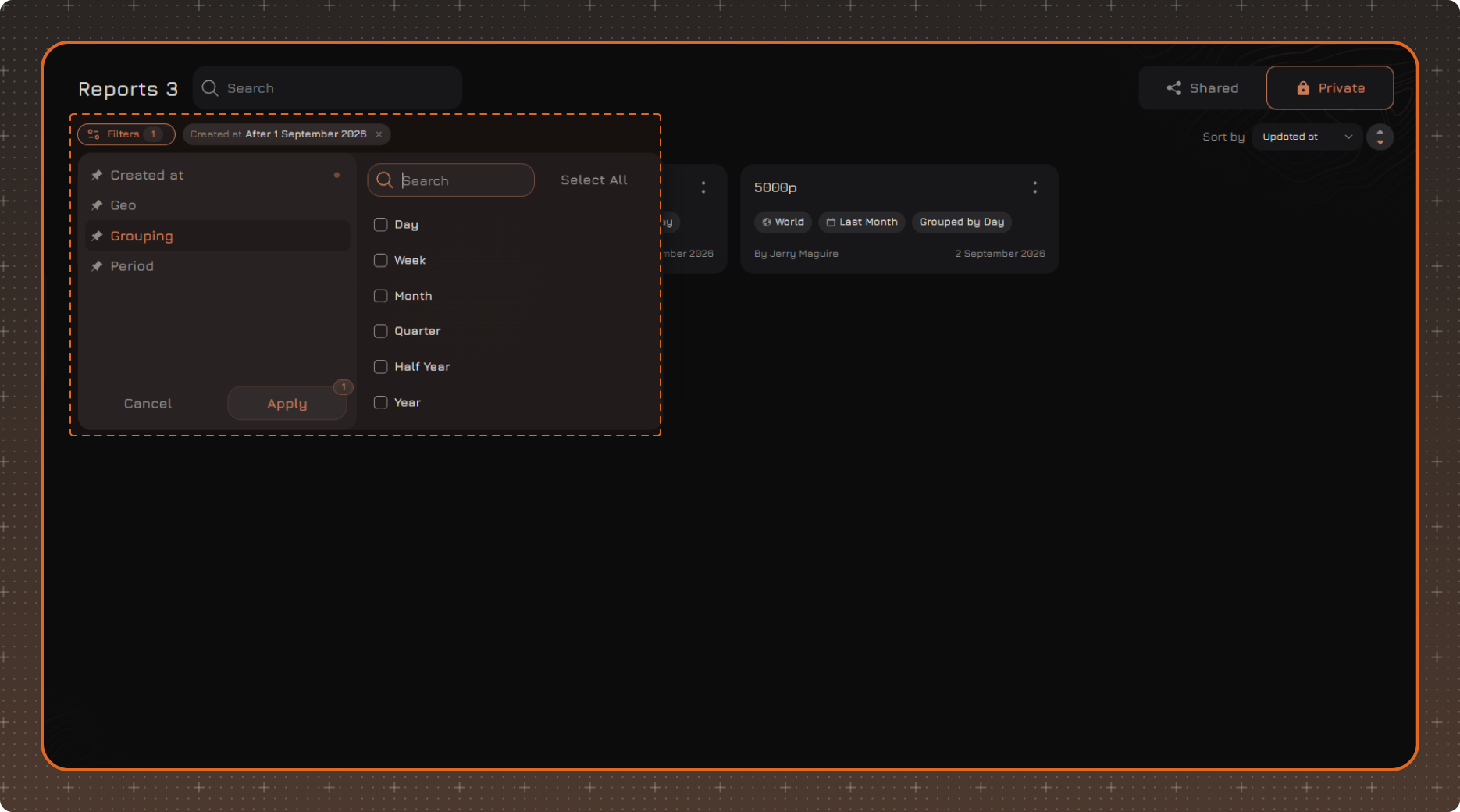
After selecting the required values, click Apply.
Applied filters are displayed above the list of reports. To remove a single filter, click × next to its name. To reset all filters, click Clear Filters.