

Pairings
This section covers how to set up pairings - dish recommendations that the CosmosResto Waiter app suggests the waiter add to an order.
A pairing links dishes in an order with dishes worth suggesting to the guest in addition: for example, fries with a burger or cheese with wine. When the waiter adds a dish from a pairing to an order, the app shows the suggestions under it.
To open pairings, go to Waiter → Pairings.
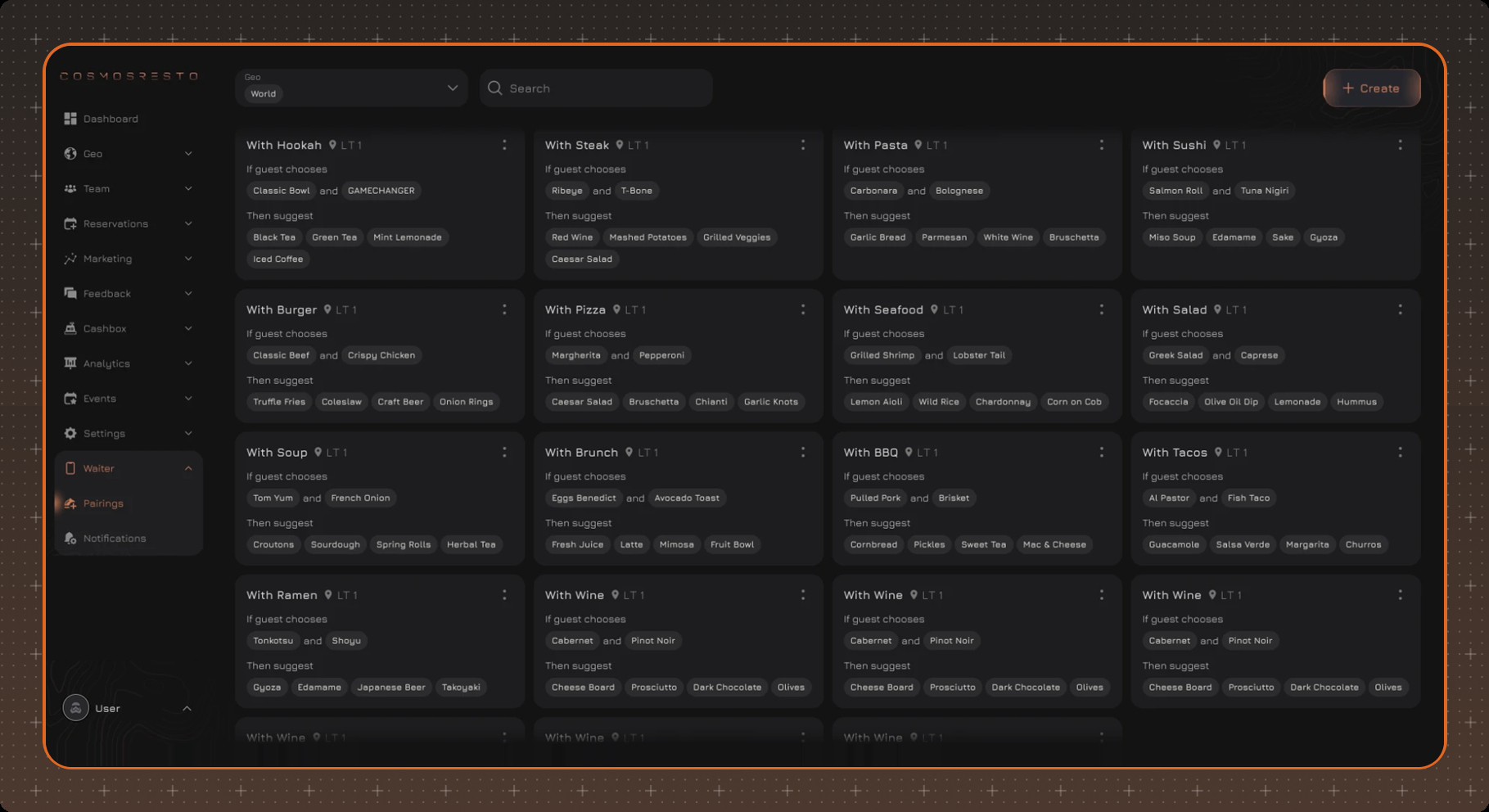
Pairings list
Pairings are shown as cards. A card shows the name, the location, the dishes from the If guest chooses block and the suggestions from the Then suggest block. If there are more dishes than fit on the card, a counter is shown next to them, for example +2.
You can filter the list by location in the Geo field and find a pairing by name using Search.
Creating a pairing
Click Create and fill in the fields. The preview on the right shows how the suggestions will look in an order in the app.
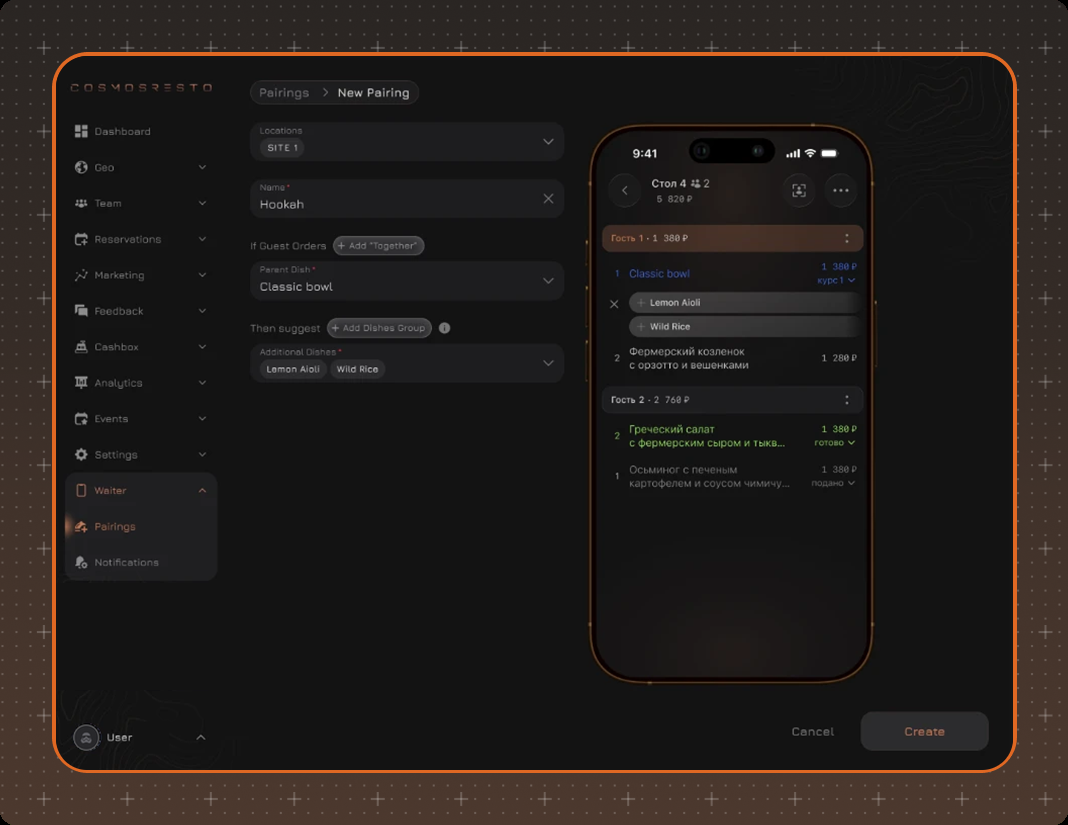
- Locations - the location the pairing works for. Each pairing has only one location.
- Name - the pairing name for the list, up to 50 characters.
- If Guest Orders - the Parent Dish that makes the app suggest additional dishes. To make the pairing work for a combination of dishes, click Add "Together" and select one more dish. For example, if the guest orders a burger together with a cola, the app suggests a pie.
- Then suggest - groups of Additional Dishes that the app suggests to the waiter. To add a group, click Add Dishes Group; you can add up to 5 groups. Drag groups to change their order, and use the trash icon to delete a group.
To save the pairing, click Create.
Pairing actions
Actions for a pairing open with the ⋮ button in the top right corner of the card. If several locations have the same menu, you don't need to build the pairing again - duplicate it and select another location in the copy. Duplicating opens a new pairing form with the fields filled in, and [Copy] is added to the name. You can also duplicate a pairing from its card.